
Split (A/B) Test
Overview
Split (A/B) Testing in Groundhogg CRM is a dynamic experimentation tool designed to optimize flow performance by comparing two or more variations of a flow step. Unlike conditional branching, which routes contacts based on predefined criteria, A/B Testing randomly assigns contacts to different branches (e.g., Branch A or Branch B) to test which variation achieves better results based on a specific success metric, such as email clicks or conversions. This method empowers users to make data-driven decisions to enhance engagement and flow efficiency.
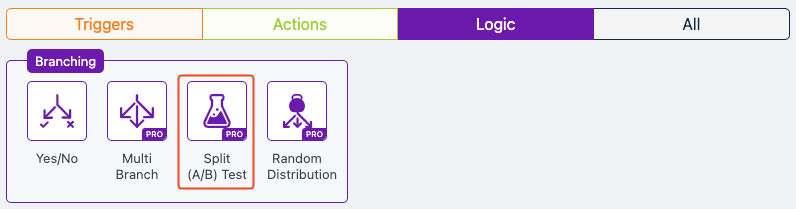
Extension Required!
The Split (A/B) Test Logic is available with the Advanced Features addon. It can be purchased separately or as part of the Agency, Pro or Plus Plans.
When to Use
Use Split (A/B) Testing when you want to experiment with different strategies to determine the most effective approach for your audience. It’s ideal for testing variations in email subject lines, content, offers, or timing to optimize engagement, conversions, or other key metrics. Employ this feature when you have a clear hypothesis (e.g., “A shorter subject line will increase open rates”) and sufficient contact volume to achieve statistically significant results.
How It Works
Split (A/B) Testing randomly distributes contacts across defined branches, typically with an even split (e.g., 50%/50%), though customizable ratios (e.g., 80%/20%) are possible. Each branch executes a unique sequence—such as different emails or actions—while the rest of the flow remains consistent. A predefined success metric (e.g., link clicks or purchases) determines the winning branch. Groundhogg’s reporting tools analyze the results, allowing you to adopt the most effective variation for future campaigns.
Setup Instructions
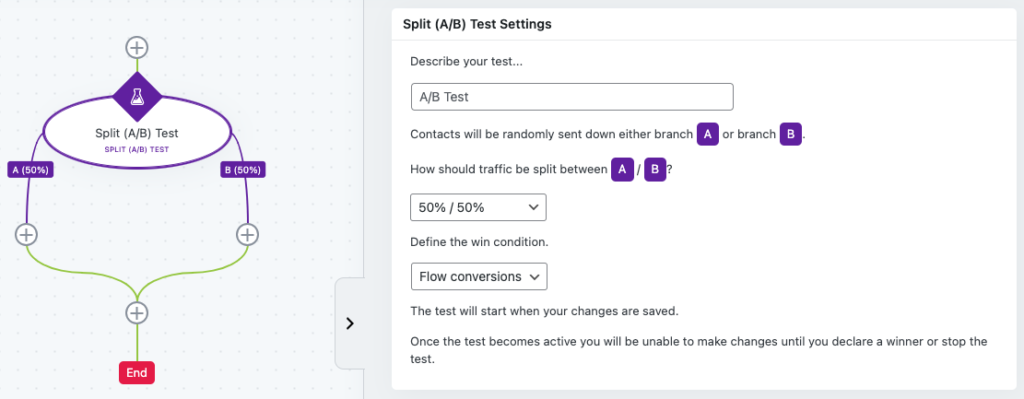
- Add A/B Split Test Trigger: In your Groundhogg flow, drag and drop the “Split (A/B) Test” Trigger into the desired position.
- Define Test Objective: Specify what you’re testing (e.g., “Comparing email subject lines for click-through rates”).
- Configure Branches:
- Branch A: Set up the first variation (e.g., email with subject “Unlock Your Exclusive Offer Now!”).
- Branch B: Set up the second variation (e.g., email with subject “Don’t Miss Out on This Deal!”).
- Set Traffic Split: Choose the distribution ratio, typically 50%/50% for balanced testing, or adjust as needed (e.g., 90%/10% for testing a new idea against a proven one).
- Define Success Metric: Select a measurable goal, such as “Email link clicks” or “Flow conversions” (e.g., purchases).
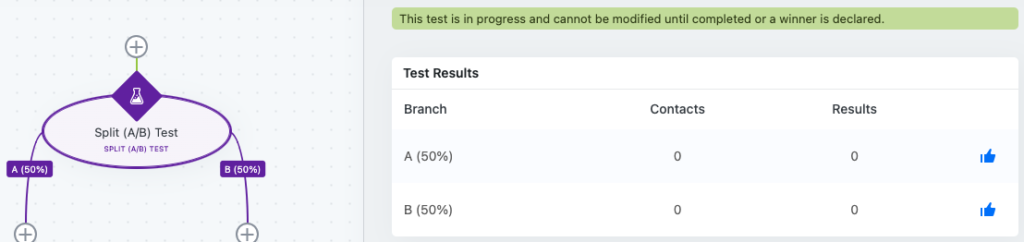
- Launch and Monitor: Activate the flow and let it run until sufficient data is collected (e.g., 100+ contacts per branch). Use Groundhogg’s reporting to analyze results and identify the winning branch.
- Apply Results: Adopt the winning variation for future campaigns and document the outcome for reference.
Example Use Case
A small e-commerce business wants to increase sales from their email campaigns. They create a flow in Groundhogg and add a Split (A/B) Test Trigger to compare two discount offers: Branch A offers a 10% discount, while Branch B provides free shipping. With a 50%/50% traffic split and “purchases” as the success metric, they run the test on 500 contacts. After a week, Groundhogg’s reporting shows Branch B (free shipping) has a 15% higher conversion rate. The business adopts free shipping as their standard offer, boosting overall sales.
FAQs / Troubleshooting
Q: How many contacts do I need for reliable results?
A: Aim for at least 50–100 contacts per branch, depending on your audience size, to achieve statistical significance. Larger samples reduce the risk of misleading results.
Q: Can I test more than two branches?
A: Yes, Groundhogg supports multi-branch A/B testing, but ensure you have enough traffic to split across all branches evenly.
Q: Why are my results inconclusive?
A: This could be due to a small sample size, short test duration, or external factors (e.g., seasonal trends). Ensure sufficient data and test one variable at a time.
Q: How do I avoid skewed results?
A: Test a single variable (e.g., subject line) to isolate its impact, and control for external influences by running tests during stable periods.
Q: Can I stop the test early?
A: Avoid stopping prematurely, as early results may not be reliable. Let the test run until you have enough data for confidence in the outcome.