Custom Reports
Build a reporting dashboard around the numbers that matter to your business, from any data you can search for.
Every business measures success differently. Groundhogg’s Custom Reports let you build a reporting dashboard around the numbers that matter to you: how many customers are at risk of churning, which tags your leads carry, the average value of a custom field, or anything else you can find with a search filter. No spreadsheets, no exports, and no code.
Report on Anything You Can Search For
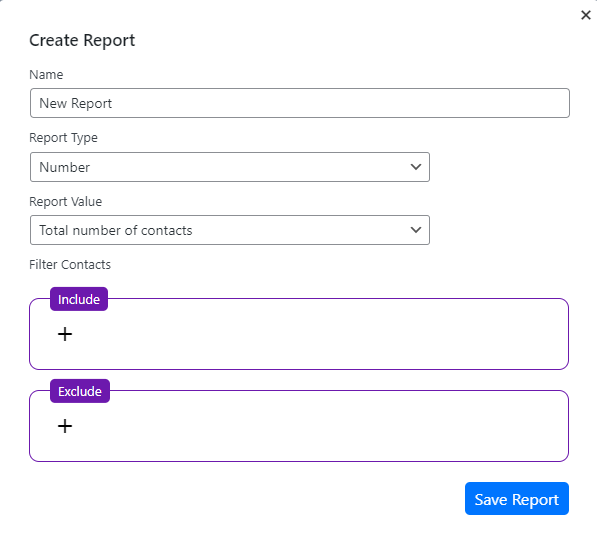
Every custom report is built on Groundhogg’s search filters, so if you can find it, you can report on it: tags, custom fields, email activity, page visits, purchases, form submissions and data from your integrations. Combine filter groups to match any of several conditions, and add exclude filters to leave contacts out, like “customers whose subscription was cancelled, but who don’t have an active license.”
The Right Report for Every Question
- Numbers: count the contacts who match, or go further with the sum or average of a custom field, the number of distinct values, or the total number of activities.
- Tables and pie charts: break your contacts down by a field to see how they’re distributed.
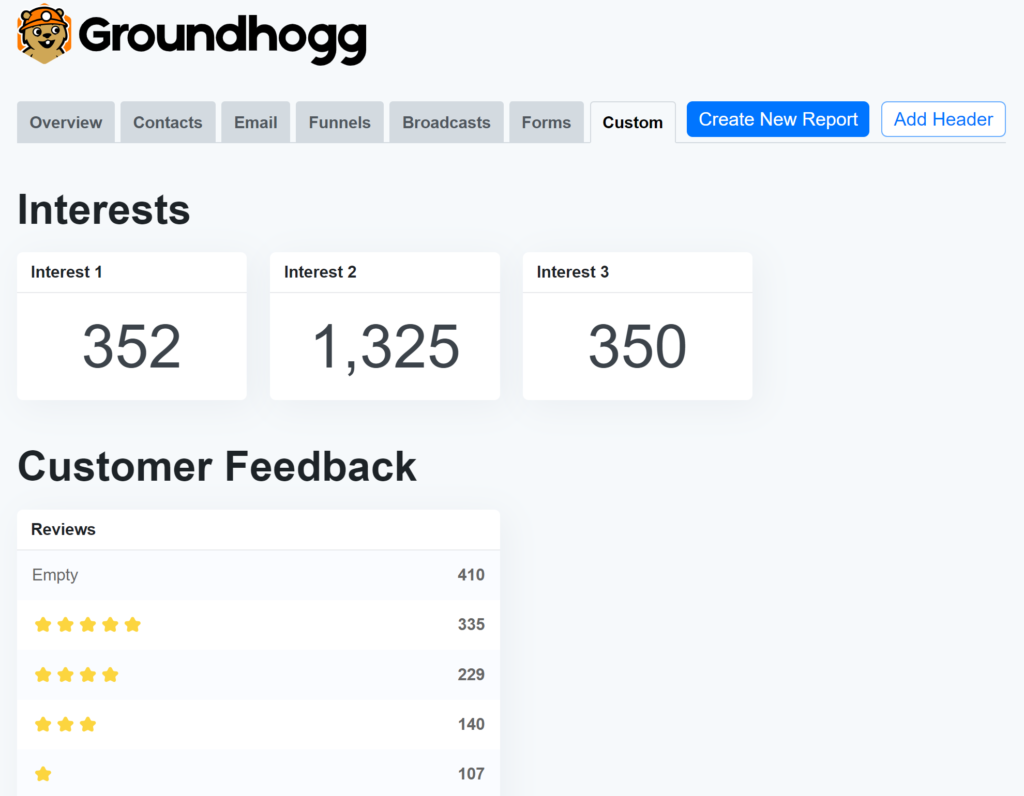
- Tag tables and tag pie charts: see how many contacts carry each of the tags you choose, like your lead stages or product interests, side by side.
- Headings: group related reports into sections, so a dashboard with dozens of reports stays easy to read.
From Number to Contacts in One Click
A report isn’t a dead end. Click a number or a slice of a tag chart to open the exact contacts behind it in your contact list, ready to tag, export, add to a flow or send a broadcast.
Fast, Even on Big Lists
The custom reports editor was rebuilt in Groundhogg 4.8 to be faster and more consistent, and reports are cached and backed by database indexes, so your dashboard loads quickly whether you have a thousand contacts or a few hundred thousand.
Ask Your AI Agent
If you’ve connected an AI agent like ChatGPT or Claude, it can read your custom reports alongside the built-in ones. Ask “What do my churn reports say this month?” and get an answer in plain language, using the same numbers you see on your dashboard.
Custom Reports are included free in Groundhogg, with no limits on how many you build. Learn how to create your first report.