


Overview
The Plugin API Action in Groundhogg enables developers to create custom actions within a flow by integrating bespoke PHP code. This action allows for tailored functionality, extending Groundhogg’s capabilities to meet specific business requirements. It is part of the Advanced Features addon, requiring the Agency, Pro, or Plus plan or a separate purchase.
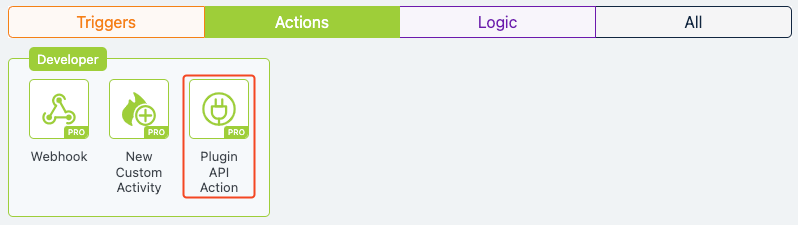
Extension Required!
The Plugin API Action is available with the Advanced Features addon. It can be purchased separately or as part of the Agency, Pro or Plus Plans.
When to Use
Use the Plugin API Action when you need to execute custom logic not covered by Groundhogg’s built-in actions. This is ideal for developers who want to update contact metadata, trigger external processes, or integrate with third-party systems programmatically within a flow.
How It Works
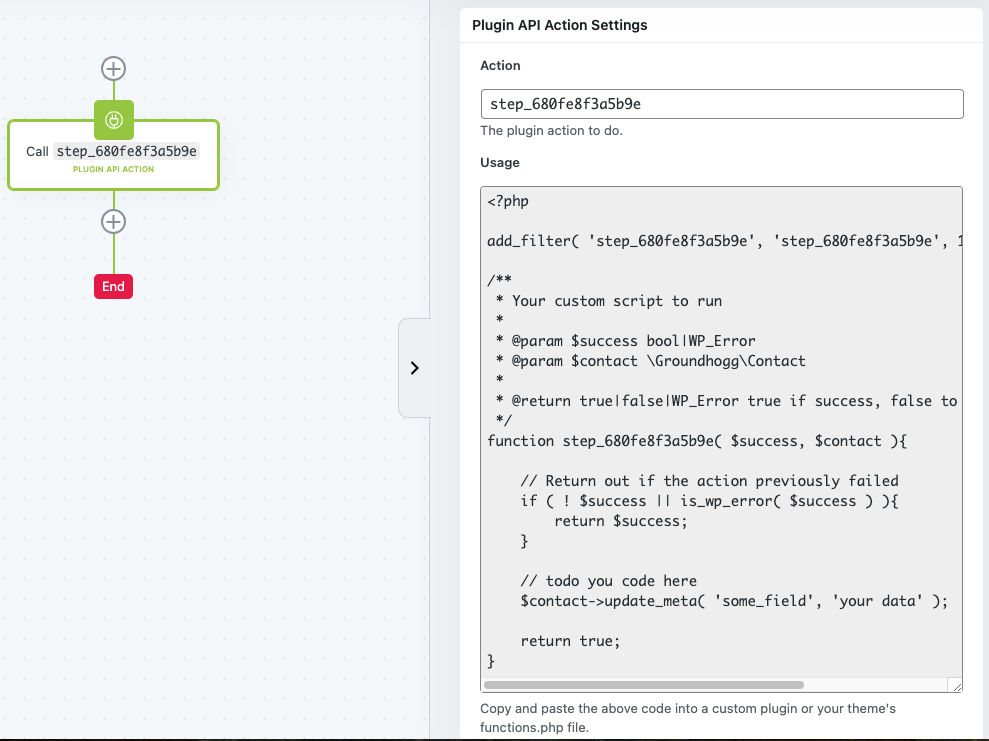
The Plugin API Action integrates custom PHP code into a flow step. When a contact reaches this step, the specified PHP function runs, allowing you to manipulate contact data, interact with external APIs, or perform other tasks. The action provides a unique filter hook (e.g., step_{random_id}) that developers use to register their custom function. The function receives the contact object and a success flag, enabling conditional logic and error handling. The action returns true for success, false to skip, or a WP_Error object for errors.
Setup Instructions
- Add the Action to Your Flow: Drag the Plugin API Action from the right-hand panel into your flow or click the “+” icon to add it at the desired step.
- Configure Settings: Click the action to open its settings. Note the default action name (e.g., step_{random_id}) and copy the provided PHP code snippet.
- Implement Custom Code: Paste the code into your theme’s functions.php, a custom plugin, or a code snippets plugin. Modify the function to include your custom logic, such as updating contact metadata (e.g., $contact->update_meta(“some_field”, “your_data”)).
- Test the Action: Ensure the code executes as expected by running a test contact through the flow.
- Publish Changes: Click “Publish Changes” to save the action settings.
Example Use Case
A software company uses Groundhogg to manage leads. When a contact submits a demo request form, the flow tags them as “Demo Requested.” The company wants to store the submission timestamp in a custom metadata field for analytics. Using the Plugin API Action, a developer adds a step to the flow that runs a custom PHP function. This function updates the contact’s metadata with $contact->update_meta(“demo_timestamp”, current_time(“mysql”)). When Jane Doe submits the form, the flow executes the action, storing the timestamp, enabling the analytics team to track demo request trends.
FAQs / Troubleshooting
Why isn’t my custom code running? Ensure the filter hook name in your code matches the action’s name (e.g., step_{random_id}). Verify the code is in an active plugin or theme file.
Do I need the Advanced Features addon? Yes, the Plugin API Action requires the Advanced Features addon, available with Agency, Pro, or Plus plans or as a separate purchase.
Can I use this without coding skills? This action is developer-focused and requires PHP knowledge. Non-developers should consult a developer or use built-in actions.
What if the action fails? Check for errors in your PHP code. Ensure the function returns true, false, or a WP_Error object. Debug using WordPress’s error logs.
How do I test my code safely? Use a staging environment to test the flow and code before deploying to production.
Was this helpful?
Let us know if this document answered your question. That’s the only way we can improve.