AI Agents
Connect ChatGPT, Claude or another AI assistant and run your CRM by asking in plain English.
What if you could just ask your CRM to do the work? Connect ChatGPT, Claude or another AI assistant to Groundhogg, and you can build flows, write and schedule emails, find contacts and pull reports by describing what you want in plain English. No menus to hunt through, no settings to remember.
Just Ask
Talk to your AI assistant the way you’d talk to a teammate. For example:
- “Build a welcome flow for new subscribers: send a welcome email, wait two days, then send our getting started guide.”
- “Write a newsletter about our holiday hours and schedule it for Monday at 9 AM to everyone tagged Customers.”
- “Find everyone who opened last week’s email but hasn’t bought yet, and tag them Warm Lead.”
- “How did our last broadcast do compared to the one before?”
The assistant does the clicking for you, and tells you what it did.
Set Up in a Few Clicks
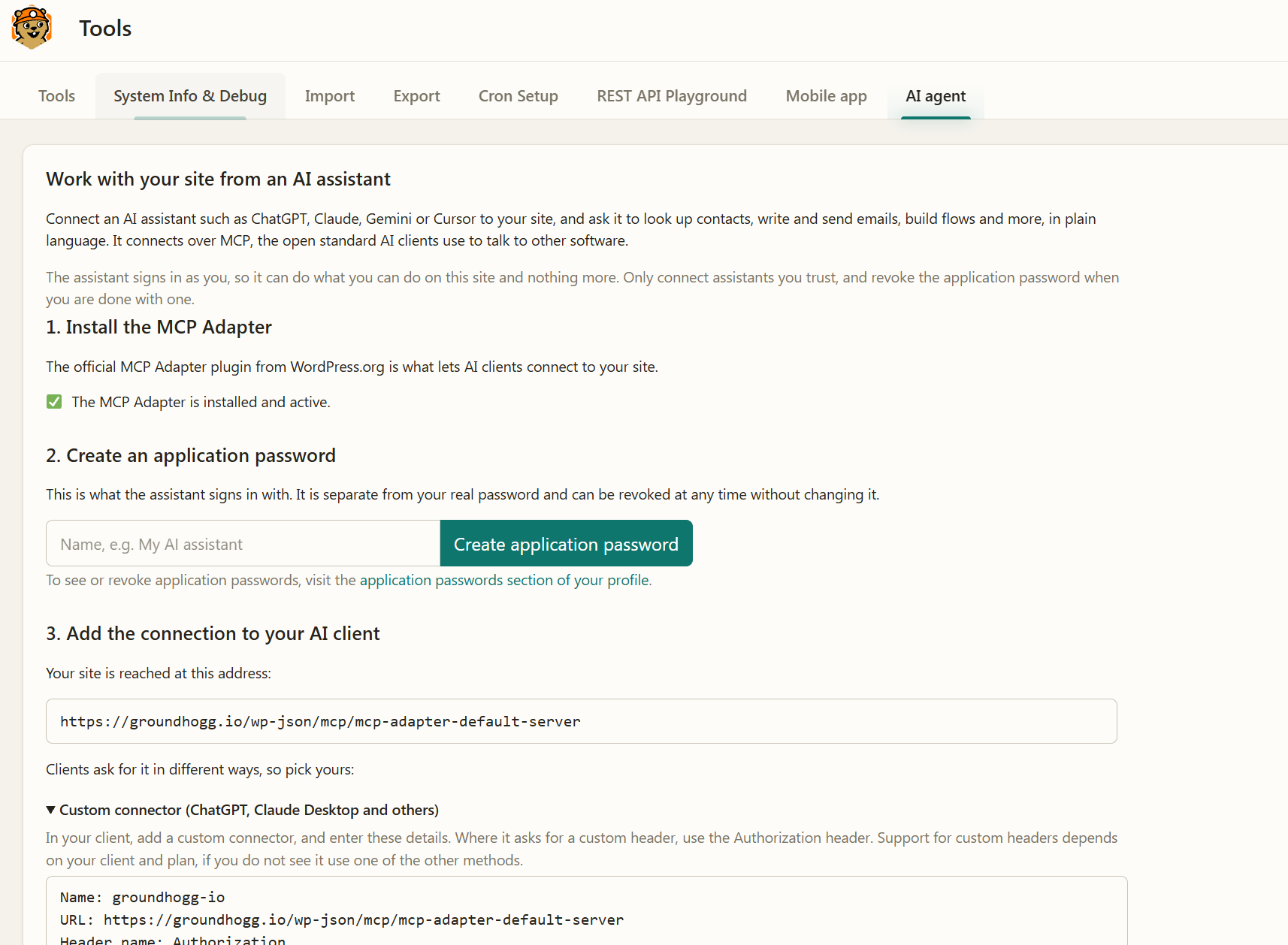
Go to Groundhogg > Tools > AI agent. Groundhogg installs what’s needed, creates a secure connection for you, and shows step-by-step instructions for ChatGPT, Claude, Codex, Cursor, Gemini CLI and VS Code, plus custom connectors. Most people are connected in a couple of minutes, with no code and no technical setup.
Safe by Design
- It can only do what you can do. Your AI assistant uses your own permissions. Connect it as a team member with a more limited role, and it’s limited too.
- Nothing changes behind your back. Edits to a live flow are saved as a draft until they’re published, so your contacts keep going through the flow you approved.
- Test before you go live. Ask the assistant to simulate a flow for a test contact and see exactly what would happen, without sending anything.
- Your data stays yours. Your CRM runs on your own WordPress site, and you can disconnect an assistant at any time.
See It in Action
Watch Adrian connect Claude to Groundhogg live and have it build a flow from scratch, edit a live one, and fix his reports.
AI agent support is included free in Groundhogg 4.10 and later, on WordPress 6.9 or newer. Follow the setup guide to connect yours.
For developers: Groundhogg’s AI support is built on the WordPress Abilities API and MCP, and add-ons can register their own abilities. See Working with the Abilities API.