
Lead Distribution
There are three common ways that you can distribute leads among a group of sales representatives using flows in Groundhogg.
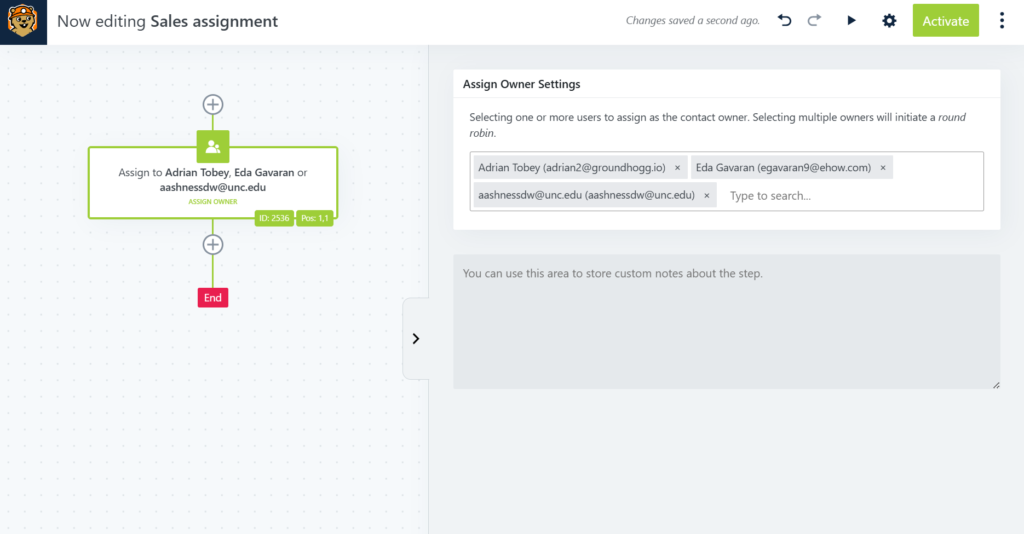
Using the Assign Owner action as a round-robin
You can use the assign owner flow action and select multiple users to create a 1:1 round-robin. Meaning every time a contact goes through the action they will be assigned to the next owner in the order they were selected.
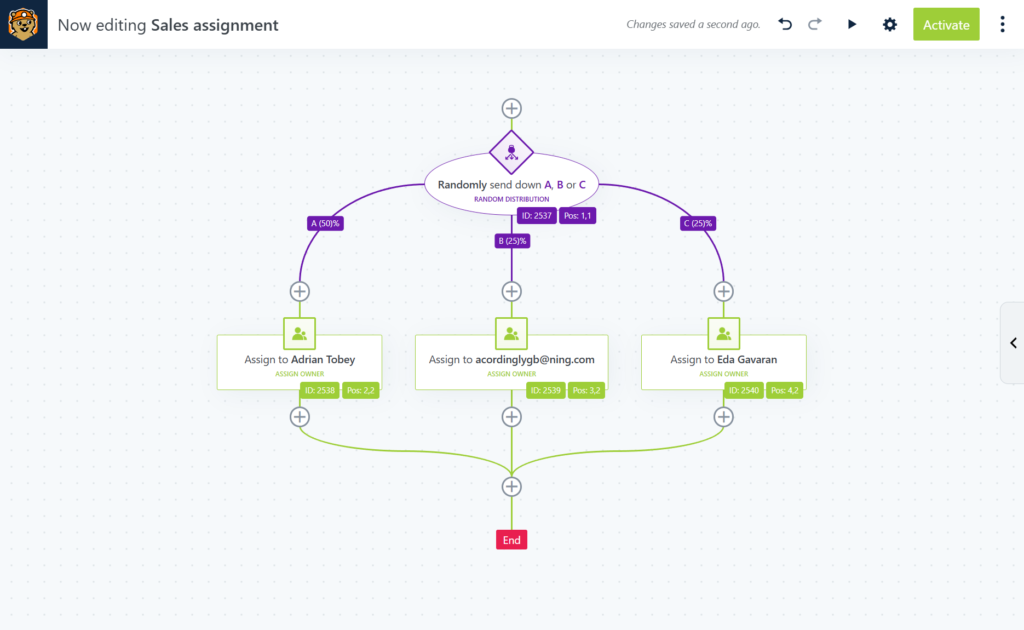
Using random distribution logic + the assign owner action
If you’re not looking for 1:1 distribution, use the random distribution logic to add weight to branches, then use the assign owner action in each branch to assign the desired user. Over a large enough sample size of contacts each user should be assigned a representative number of contacts for the branch weight.
Manual Distribution
You can create a sales manager user who is responsible for overseeing a team of sales representatives. Assign your leads first to the sales manager, and they will be responsible for re-assigning them to their team of reps.