


Global Blocks make it easy to reuse content across multiple emails. Create a block once, insert it anywhere, and update it from a single location.
When a Global Block is updated, every email using that block automatically reflects the latest version. This eliminates repetitive editing and helps maintain consistency across your email campaigns.
How Global Blocks Work
A Global Block is a reusable piece of email content that can be inserted into any email created with the drag-and-drop editor.
Instead of copying and pasting the same content repeatedly, you can save it as a Global Block and reuse it wherever needed.
When the original Global Block is modified, all emails that reference it will display the updated content.
Creating A Global Block
To create a Global Block:
- Design your content using the email editor.
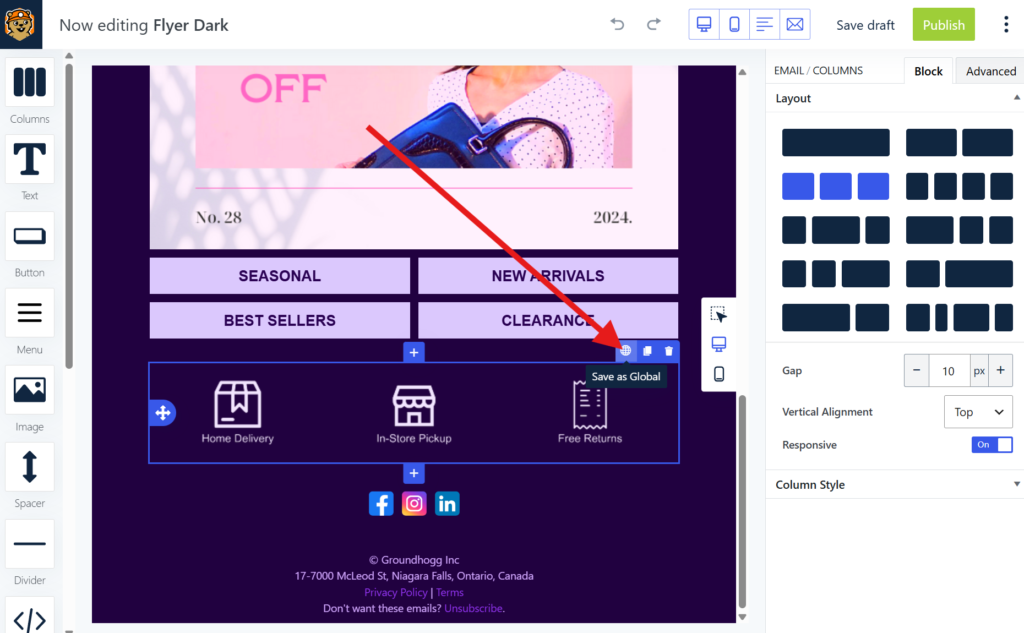
- Save the content as a Global Block by selecting it and clicking the 🌐icon.
- Give it a descriptive name.
- Insert it into any email where it should appear suing the 🌐 Global block
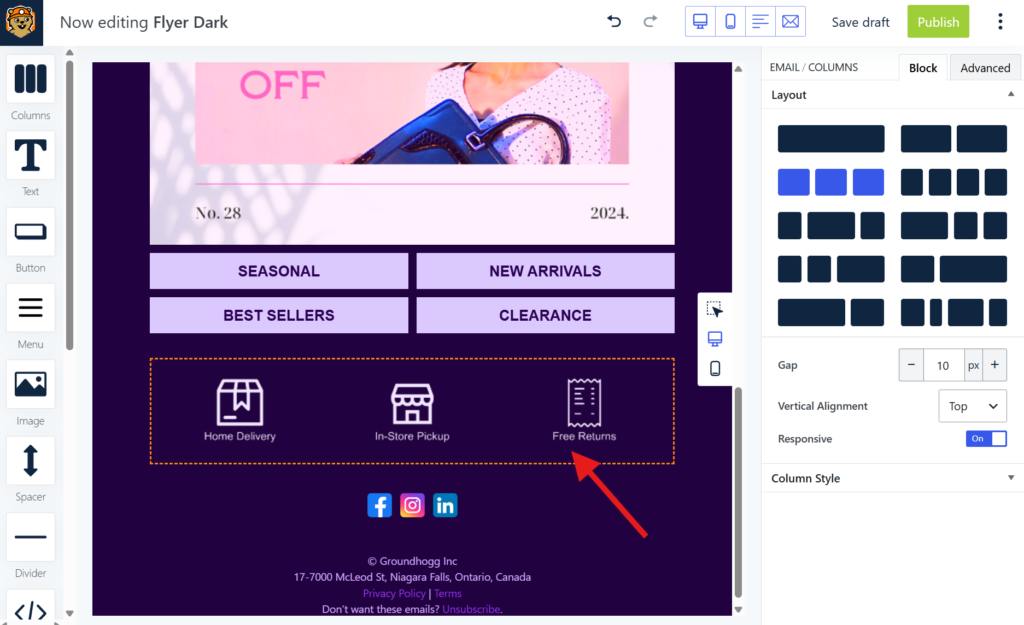
Global blocks will have an orange border in your emails to identify them.
Updating A Global Block
When a Global Block is edited, either on its own or in the context of an email, the changes are automatically reflected anywhere the block is used.
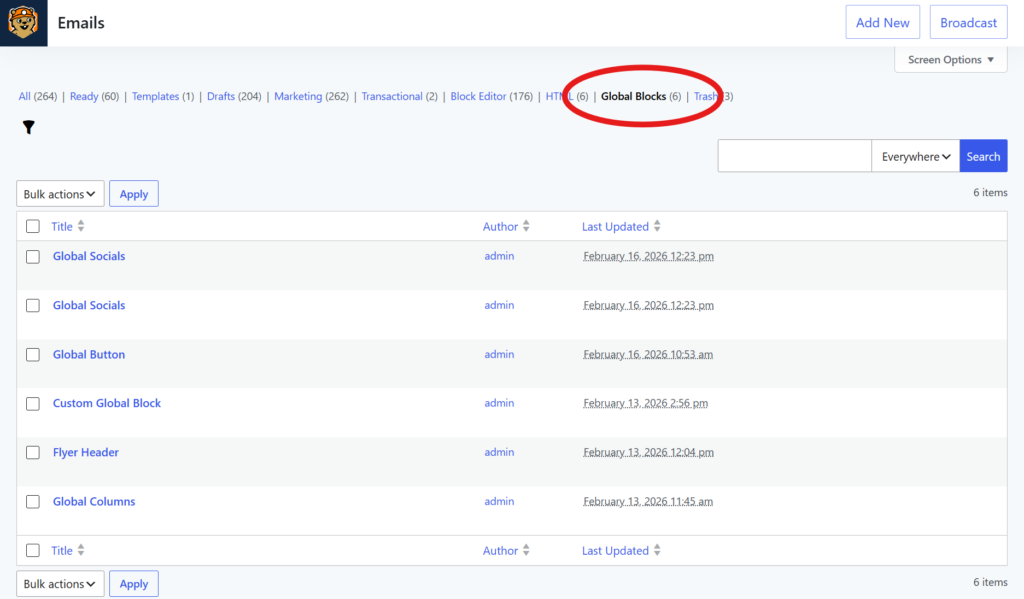
You can see and edit your global blocks by editing an email that uses the global block, or by see the list of global blocks (on the Groundhogg » Emails screen) and editing them individually.
Common Use Cases
Email Footers
Maintain a consistent footer across every email. Update your contact information, company details, or unsubscribe messaging once and have the changes appear everywhere.
Promotional Banners
Add seasonal promotions, special offers, or announcements to multiple emails. When the promotion changes, update the Global Block instead of editing every email individually.
Brand Elements
Reuse branded content such as logos, social media links, company introductions, or call-to-action sections.
Legal Disclaimers
Ensure compliance by managing legal text from a single source and keeping it consistent across all communications.
Event Announcements
Promote upcoming webinars, launches, conferences, or events across multiple email campaigns using a shared content block.
Was this helpful?
Let us know if this document answered your question. That’s the only way we can improve.