


Groundhogg search filters can be used to conditionally display email blocks!
You can also create conditional blocks in Gutenberg when using the Content Restriction.
Conditional Email Blocks
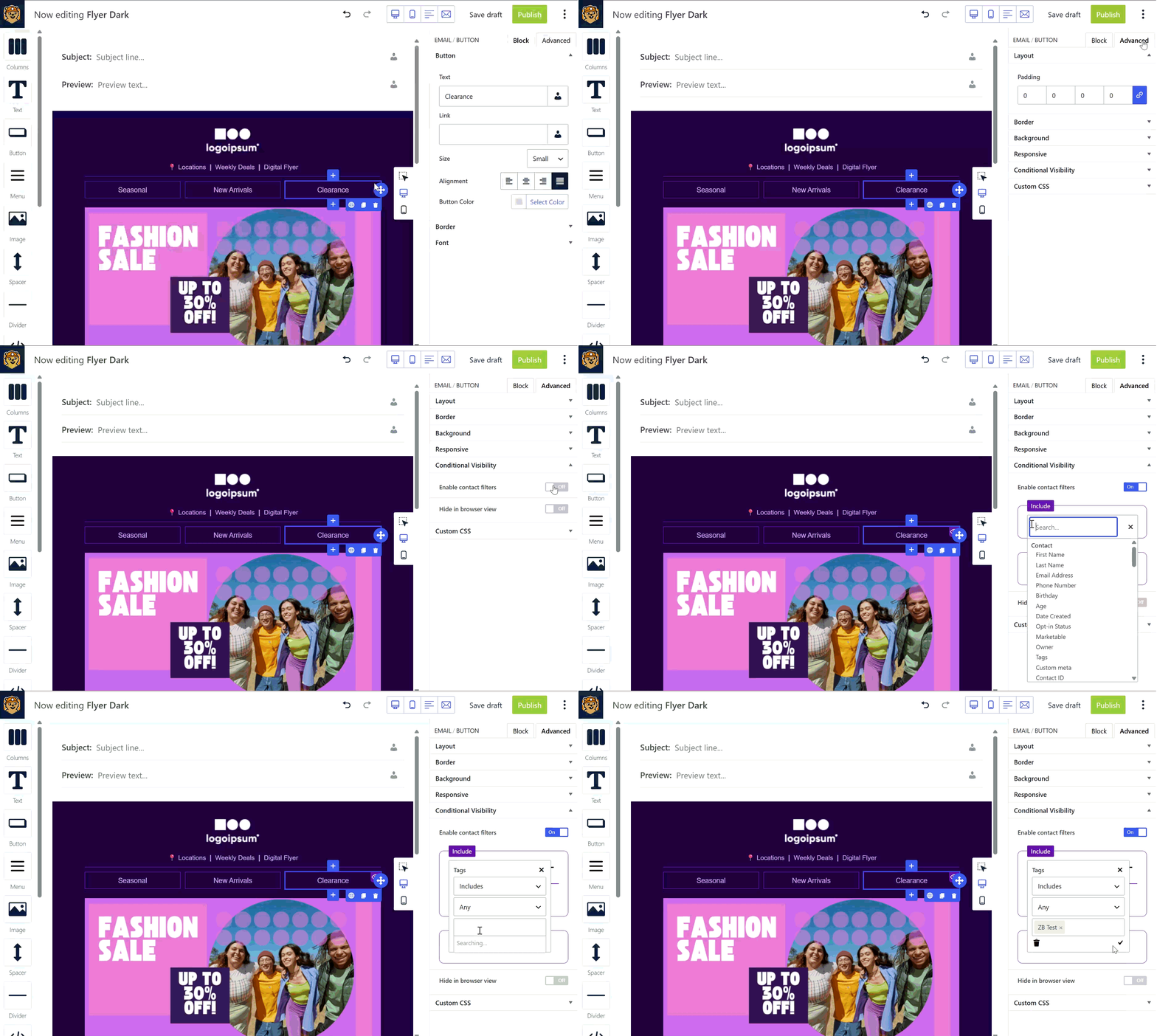
In the email editor, select any block and click on the Advanced tab and open the Conditional Visibility panel. Toggle Enable Contact Filters to select the segment of contacts that can see the block.
Conditional Gutenberg Blocks
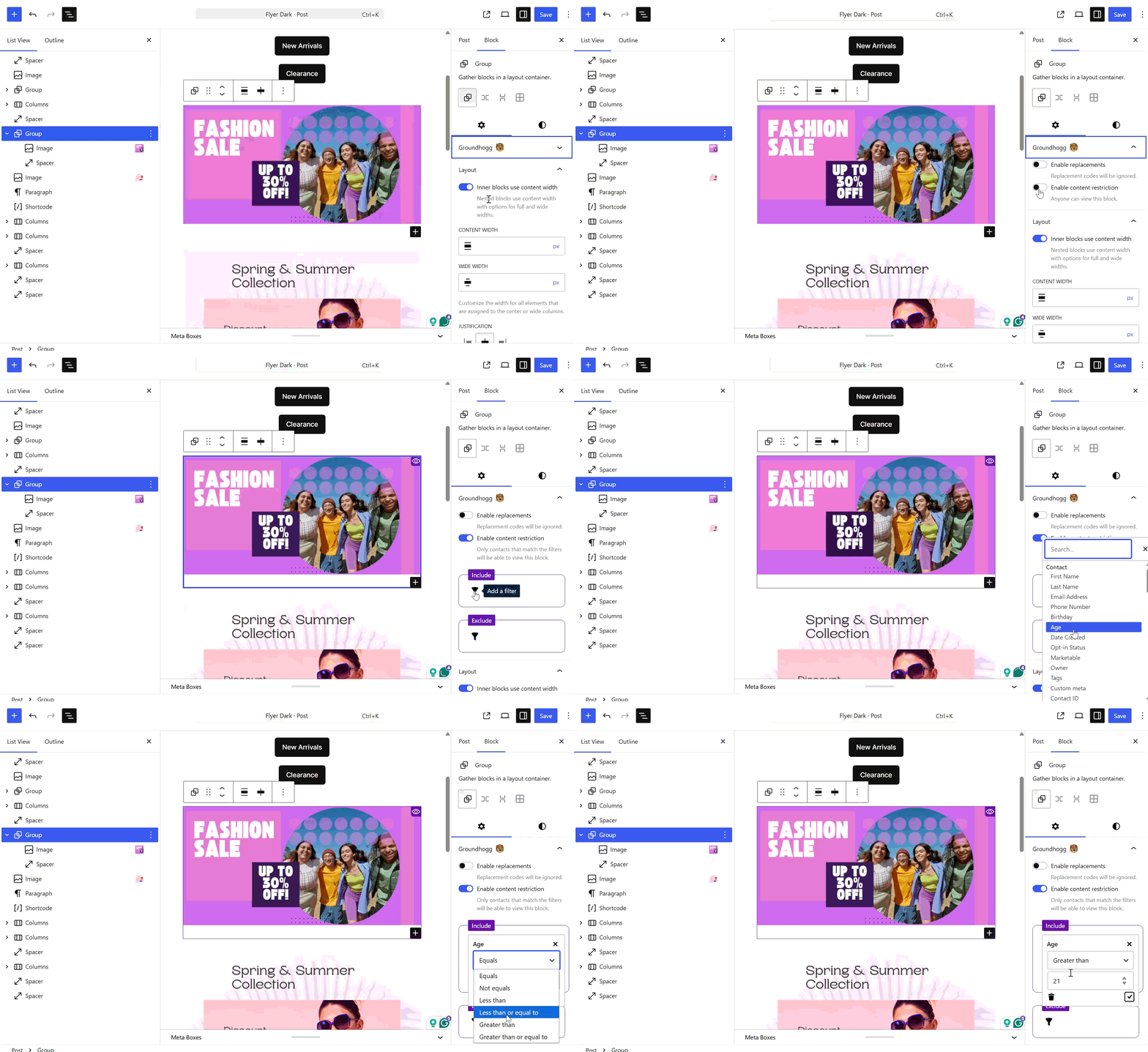
Gutenberg blocks can be shown and hidden with search filters if you have the Content Restriction add-on installed.
On the following supported block types, open the Groundhogg panel and toggle the Content Restriction setting to show the search filters.
- Core/Paragraph
- Core/Heading
- Core/List Item
- Core/List
- Core/Image
- Core/Buttons
- Core/Button
- Core/Group
- Core/Shortcode
- Core/Columns
- Core/Column
- Groundhogg/Forms
Any block you want to restrict that is not supported can be wrapped in a Group block (or any other block listed if supported), and the restriction applied to the group rather than the block itself.
Was this helpful?
Let us know if this document answered your question. That’s the only way we can improve.