Mobile App
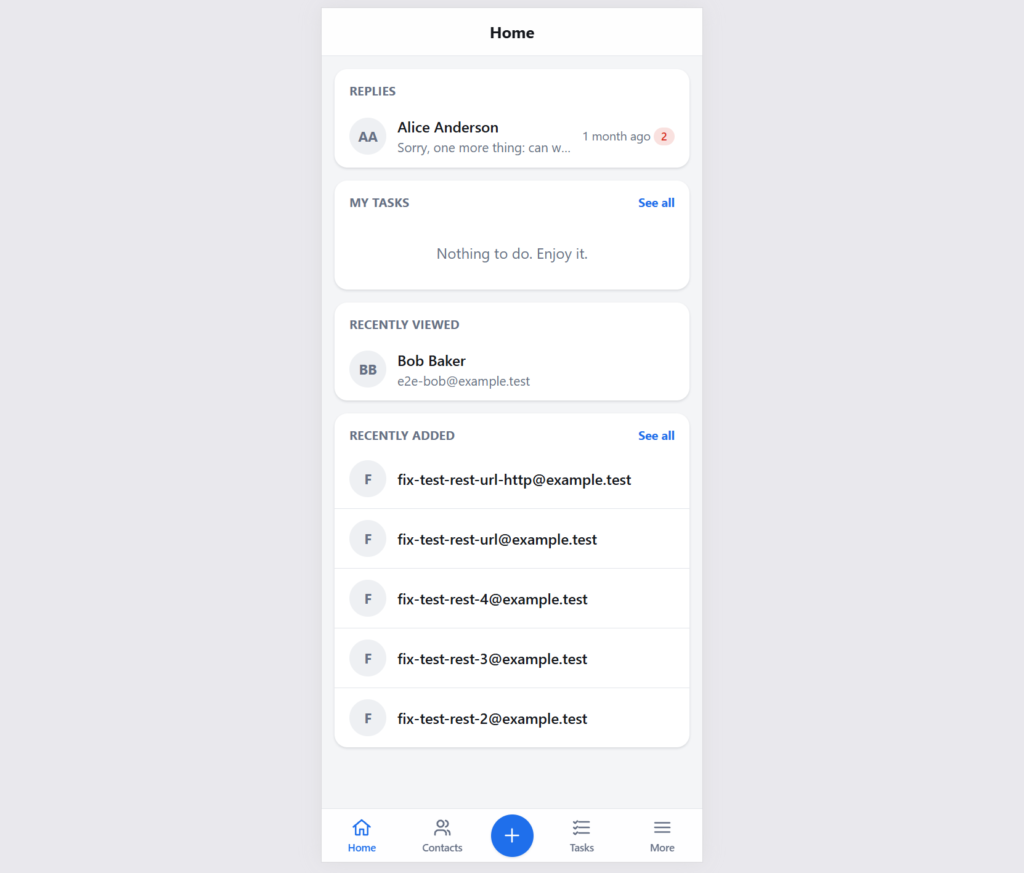
Look up contacts, call, text or email them, work through tasks and answer replies from your phone.
Your CRM shouldn’t stay behind when you leave your desk. Groundhogg includes a mobile app you install on your phone in seconds, so you can look up a contact before a meeting, call them back from the parking lot, and log what happened before you forget.
Installed in Seconds, No App Store Needed
Go to Tools > Mobile app, scan the QR code with your phone, and add it to your home screen. The app runs from your own WordPress site, so there’s nothing to download from an app store, and your contact data never passes through anyone else’s servers.
Built for What You Do on the Go
The mobile app isn’t a shrunken copy of the admin. It’s made for the things you actually need away from your desk:
- Find anyone fast: search your contacts and open their record, then call, text or email them with a tap.
- Stay on top of tasks: work through your to-do list between meetings.
- Capture it while it’s fresh: add a note to a contact right after a call or meeting.
- Sign people up in person: fill out one of your forms for a contact at an event, a trade show booth or over the phone.
- Answer replies anywhere: read and respond to email replies from your contacts.
Safe to Hand to Your Whole Team
The app uses the same roles and permissions as the rest of Groundhogg, so each person only sees what they’re allowed to. A sales rep who can only see their own contacts in the admin will only see their own contacts on their phone, which makes rolling it out to a field team simple.
Grows with Your Add-ons
Add-ons can add their own screens to the mobile app, so the tools you rely on can come with you too.
Groundhogg’s mobile app is included free with Groundhogg 4.10 and later. See how to install it.