
Most of what I do in Groundhogg every day is building flows, writing emails, pulling numbers and finding the right contacts. As of Groundhogg 4.9, an AI agent can do almost all of that for me, from a chat window, without me opening the flow editor.
In this live stream I connected Claude to a Groundhogg site and had it build a long-term nurture flow, rewrite its emails, edit the flow while it was live, analyze three months of flow performance, build a segment and schedule a broadcast. Below is everything I did, step by step, so you can do the same thing on your own site.
This is for anyone running Groundhogg who wants to spend less time clicking around the admin. You don’t need to be a developer. If MCP sounds scary, it was a scary word for me too until about a month ago.
What you need before you start
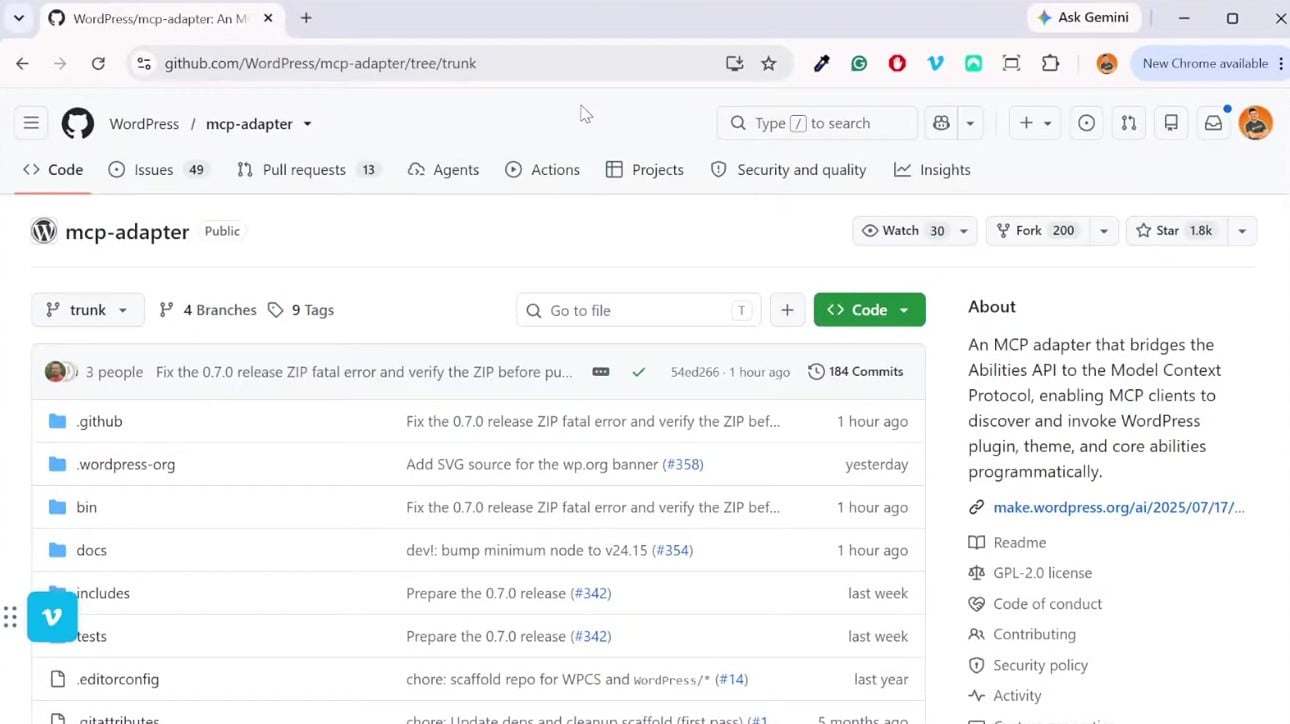
Groundhogg registers its abilities through the official WordPress Abilities API. An AI agent can’t talk to them directly, so you need an MCP adapter in between. Any agent that supports MCP works: I use Claude, but Codex and others work too.
- Install the official MCP Adapter plugin. It’s free on GitHub and maintained by the WordPress team. It gives agents an endpoint to reach every registered ability on your site, including Groundhogg’s.
- Optional, but I recommend it: install Abilities for MCP. WordPress core doesn’t ship abilities for posts, pages or WooCommerce yet, and this plugin adds them. With both installed, you can ask for things like “build me an email that links to my last three blog posts” and it can find the posts on its own.
- Connect your agent to the site with an application password. Give the connection a clear name. Mine is called Groundhogg Dev, so Claude never confuses my test site with production.
- If you use Claude, download the skills from the Working with the Abilities API doc (Resources, Documentation on groundhogg.io). They teach Claude how to design flows properly and how to build emails that open in Groundhogg’s block editor instead of plain HTML.
Plugins like WP Vibe that ship their own abilities adapter also work. I used the official adapter for this demo because it’s free and maintained.
What an agent can do in Groundhogg today
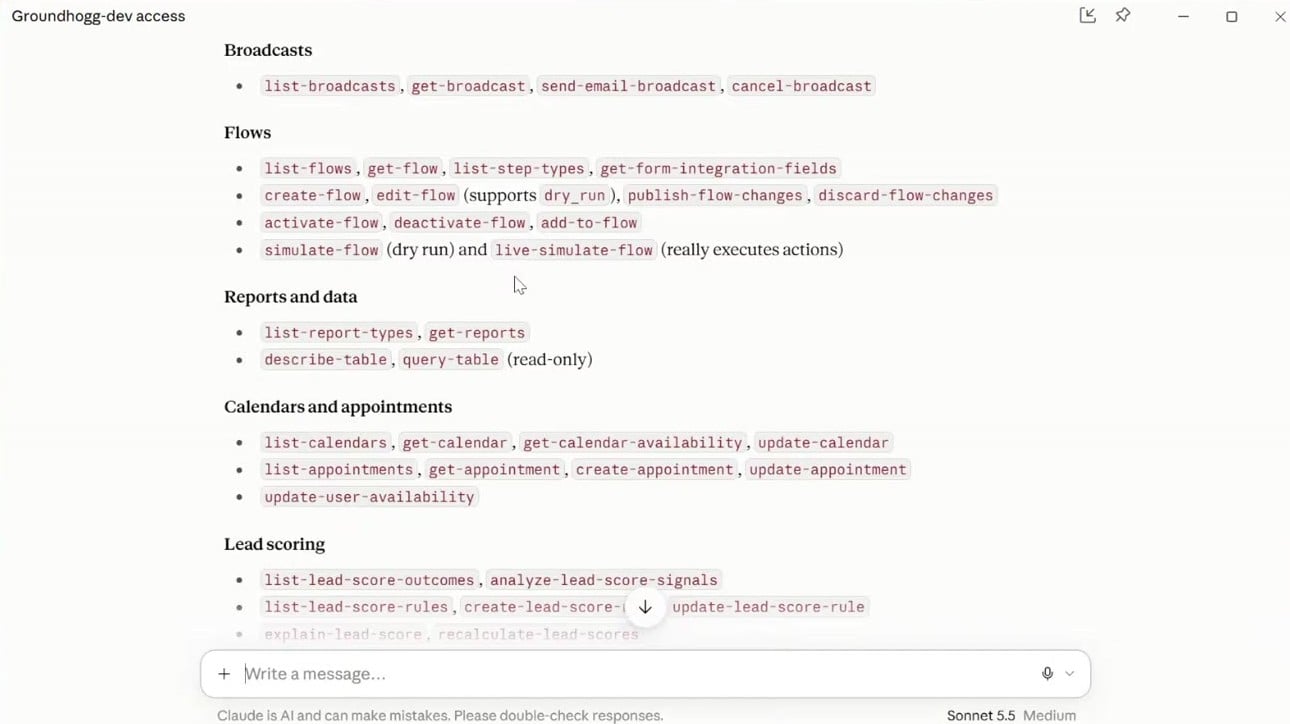
Ask your agent “what Groundhogg abilities are available?” and it will list them. Right now that covers:
- Contacts, tags, notes and custom fields: search, create, update and segment
- Emails and broadcasts: write, schedule, cancel and report on them
- Flows: create, edit, simulate and publish, including flows that are already active (new in 4.9)
- Reports: analyze flows, broadcasts and pipelines
- Add-ons: lead scoring, companies, sales pipeline, and WooCommerce or Easy Digital Downloads order filters
Before the live, I pointed Claude at our real sales flows on groundhogg.io and asked it to analyze them. It found broken links in an email and a discount code that didn’t match the one in the store. I had missed both. It fixed them without me opening the editor once.
Build a flow from one prompt
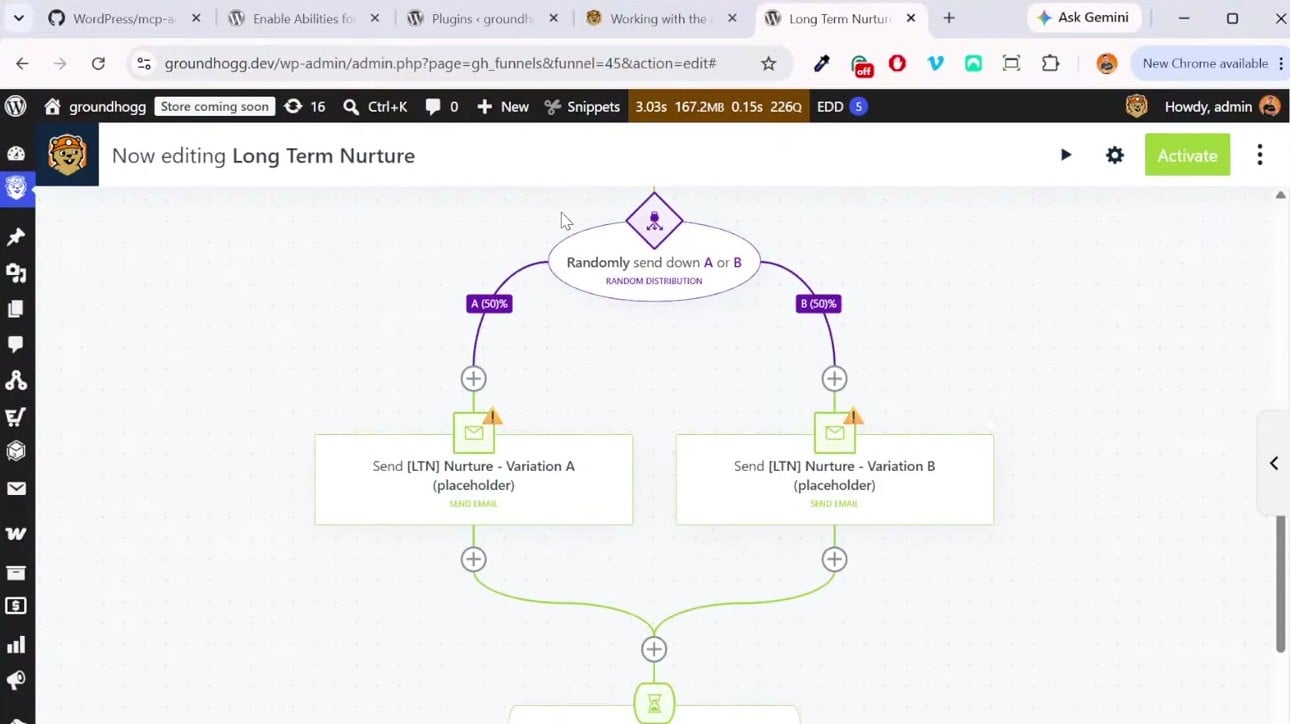
I asked Claude to build a long-term nurture flow, on purpose with a vague prompt, to see what it would do. Long-term nurture is for leads that went quiet: it checks in every few months with a short email, so they never go fully cold.
- Give it the goal in plain English. Mine was roughly “create a long-term nurture flow that sends a short check-in email every three months.”
- Answer its follow-up questions. It asked what should trigger the flow, how many email variations I wanted and how long to wait between emails. I said the LTN tag, two variations, three months.
- Let it build. It found my existing long-term nurture tag instead of creating a duplicate, built the flow and left it inactive. Nothing gets sent until you turn it on.
- Ask it for the link and open the flow. Mine started on the tag, checked the contact was marketable and not a customer, split contacts randomly between two emails and waited three months.
It wasn’t exactly how I would have built it, but it worked the same. When it scaffolds emails with placeholder copy, just ask: “write the emails, short and sweet, things like how are you and what would make you commit.”
Turn the emails into block emails with an unsubscribe footer
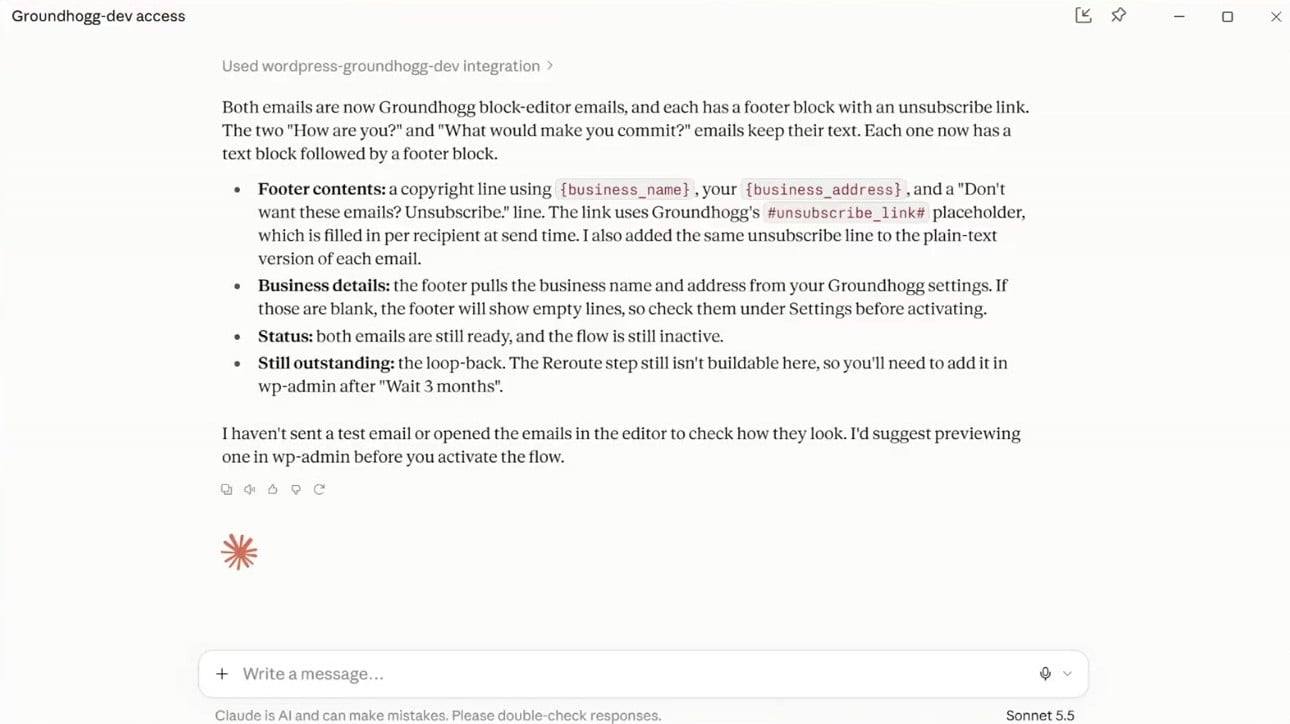
The first emails it wrote had no unsubscribe link. I told Claude “convert these emails to Groundhogg blocks and add the footer block,” and it did. After a refresh, both emails opened in the block editor and I could edit them inline, like changing the alignment, the same as if I had built them by hand.
If you download the block email skill from our docs, Claude does this from the start.
Edit a live flow without affecting contacts already in it
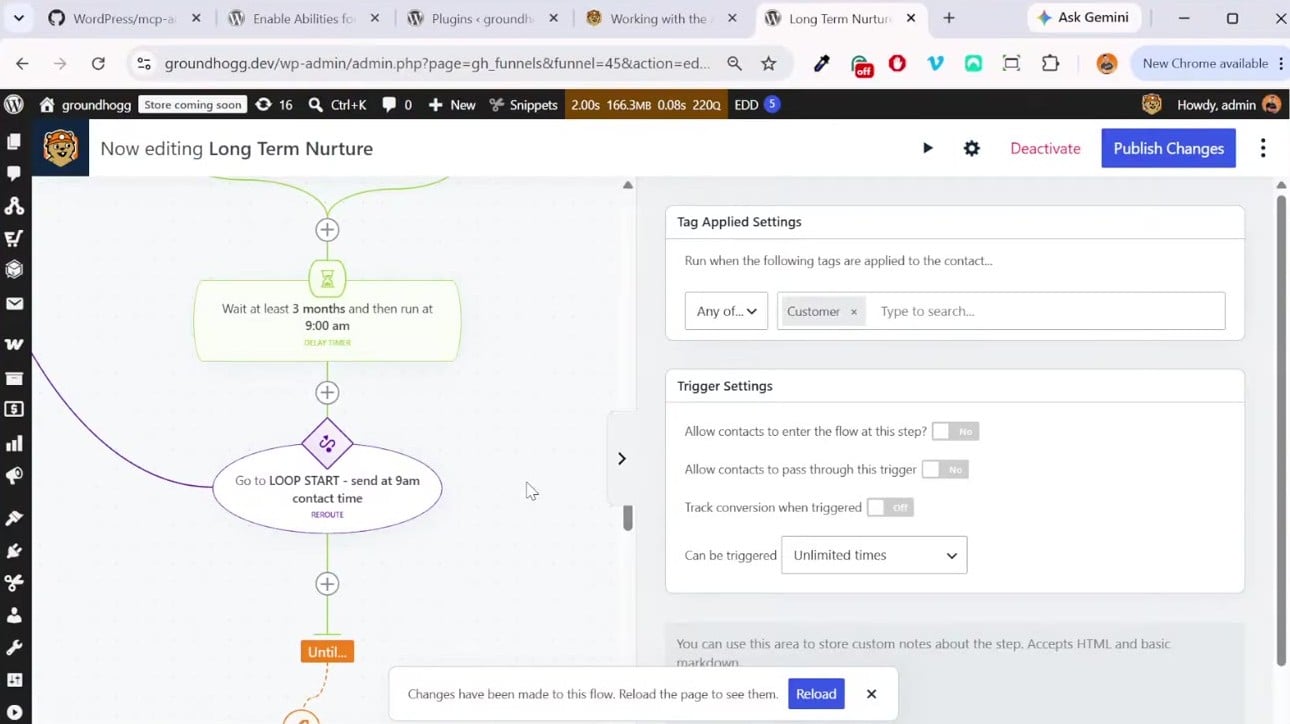
This is the big one in 4.9. Once a flow is active, contacts are moving through it. You don’t want an AI change hitting them before you’ve checked it. So I activated the flow, then asked Claude to add a loop back to the start and end the flow when the LTN tag is removed or the customer tag is applied.
- Changes from the agent are staged, the same as edits you make in the flow editor. The live version keeps running until you publish.
- If you have the flow open in your browser while the agent edits it, Groundhogg shows “Changes have been made to this flow. Reload the page to see them.” That stops you and the agent from overwriting each other. Emails do the same.
- In the editor, live steps have solid colors, staged steps have white backgrounds and changed steps are striped. You can see exactly what the agent did.
- I asked it to make “customer tag applied” a conversion, so the flow report would show a real conversion rate.
- When you’re happy, tell the agent “publish the changes.” Contacts move through the new version from then on.
I also asked for three more email variations. It added them to the existing split and weighted all five evenly, so people in the loop don’t get the same email every three months.
Is it safe to let an AI into your CRM?
Someone emailed me before the live asking whether an agent could just delete their contacts. Today, no. Groundhogg ships no delete abilities and no high-risk abilities, only medium and low risk ones. Low risk means reading things like reports. Medium risk means changes like updating a contact or applying a tag.
Everything an agent can do is reversible. A scheduled broadcast can be cancelled. Contact updates can be reverted. Email edits have versions. Flow edits are staged until you publish. Every ability also runs through the same permission checks as the admin, so the agent can’t do anything the user it connects as couldn’t do.
Each ability comes with a full description of what it does and whether it has side effects. In my testing, agents have been good at understanding that, for example, applying a tag might start a flow. If you’re nervous, take a backup first.
Let the agent read your reports for you
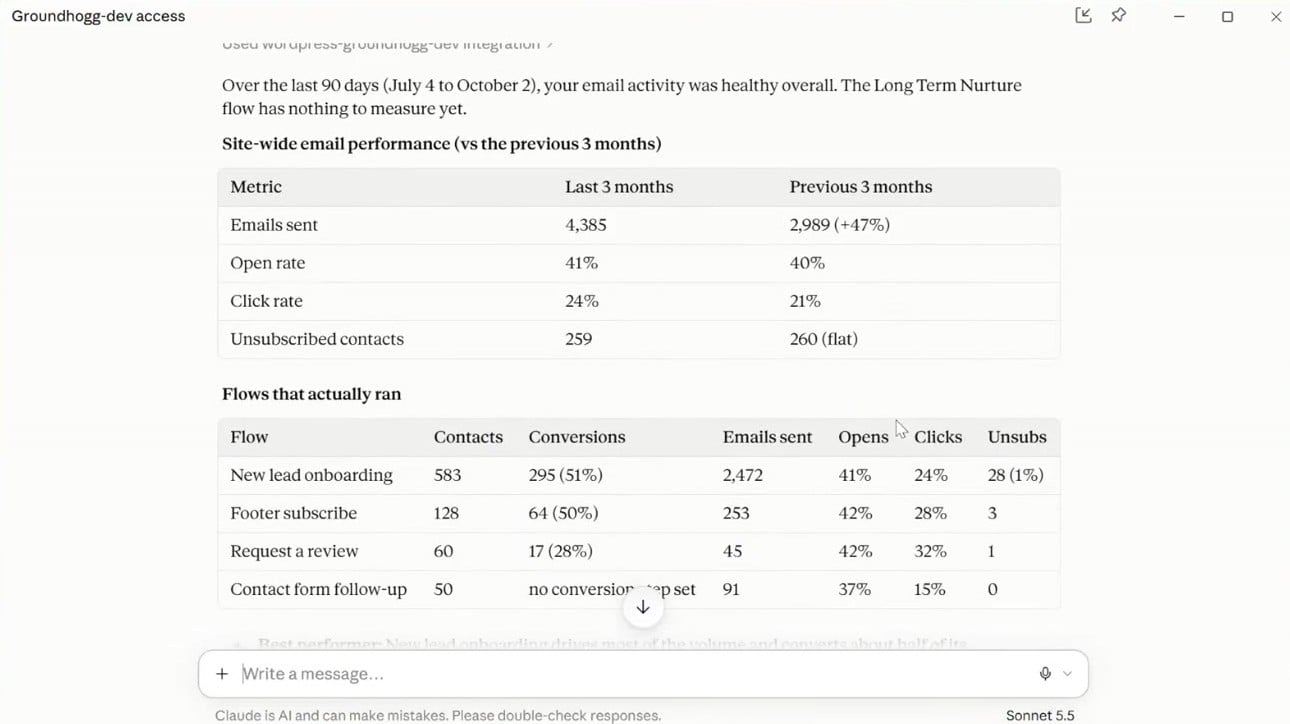
I opened the reports page, looked at the wall of numbers and asked Claude “can you analyze my flows’ performance over the last three months?”
It pulled the flows and their emails and connected them. It told me which flow drove most of the volume and converted about half its contacts, which flow’s conversions had dropped, and which flow had no conversion set up at all, so I couldn’t tell whether it was working. Then it offered a plan: publish staged changes, judge the email variations, set conversions and fix an email with zero clicks that still had placeholder text.
I told it to set up the missing conversion on the customer tag and fix the emails. It rewrote the subject line, added a footer, removed a broken merge tag, fixed the call to action and set up the conversion. Then I told it to publish.
The demo site had seeded data, but on a real site this is the kind of review I would never get around to doing by hand.
Build segments and broadcasts in plain English
Groundhogg’s contact filters are powerful, but there are a lot of them. Most add-ons now expose their filters to AI, so you can just describe the segment.
- I asked “give me the list of contacts that have purchased a WooCommerce product.” It returned 55 contacts and a link to that exact search in the Contacts page, which also showed 55.
- Then: “send a broadcast to this segment asking them to refill their last order.” It wrote the email, found the My Account orders page on its own and showed me the email before scheduling anything.
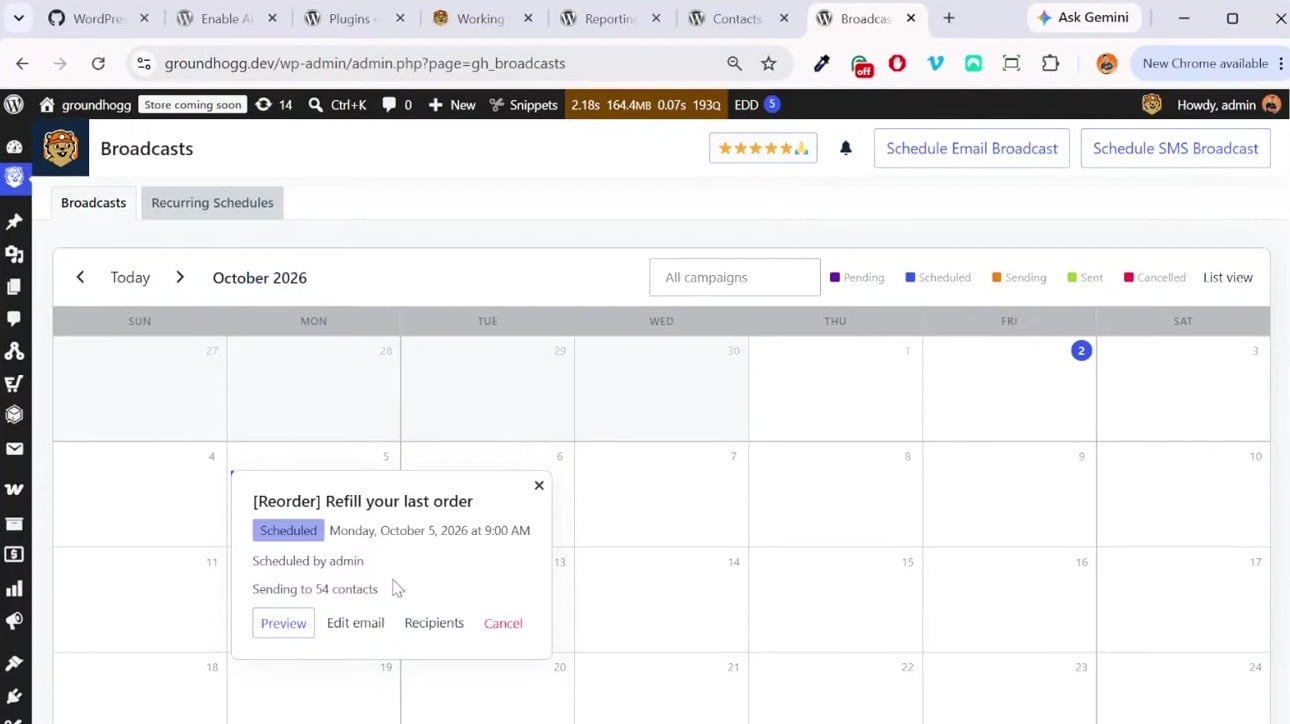
- “Schedule it for next Monday at 9 AM.” It showed up on the new broadcast calendar with 54 of 55 contacts, because one was no longer marketable.
This is how I send Groundhogg update emails now. I hand Claude the changelog, it grabs screenshots of the new features, drafts the email in the style of my old ones and schedules it to the people who opted into updates.
Questions from the live
Can it answer questions about my contact list, like how many contacts have a tag? Yes. Anything you can do with search filters, you can ask an agent: how many contacts have a tag, how many are in a flow, who had notes added recently. If it says it can’t do something yet, there’s a good chance that’s coming soon.
Will the flow library still matter? Less than it used to. When you can describe the exact flow you want and get it in a minute, a template matters less. We’ll keep the library, and some of it will probably be prompted into existence, but you can now build much more just by asking.
Get started
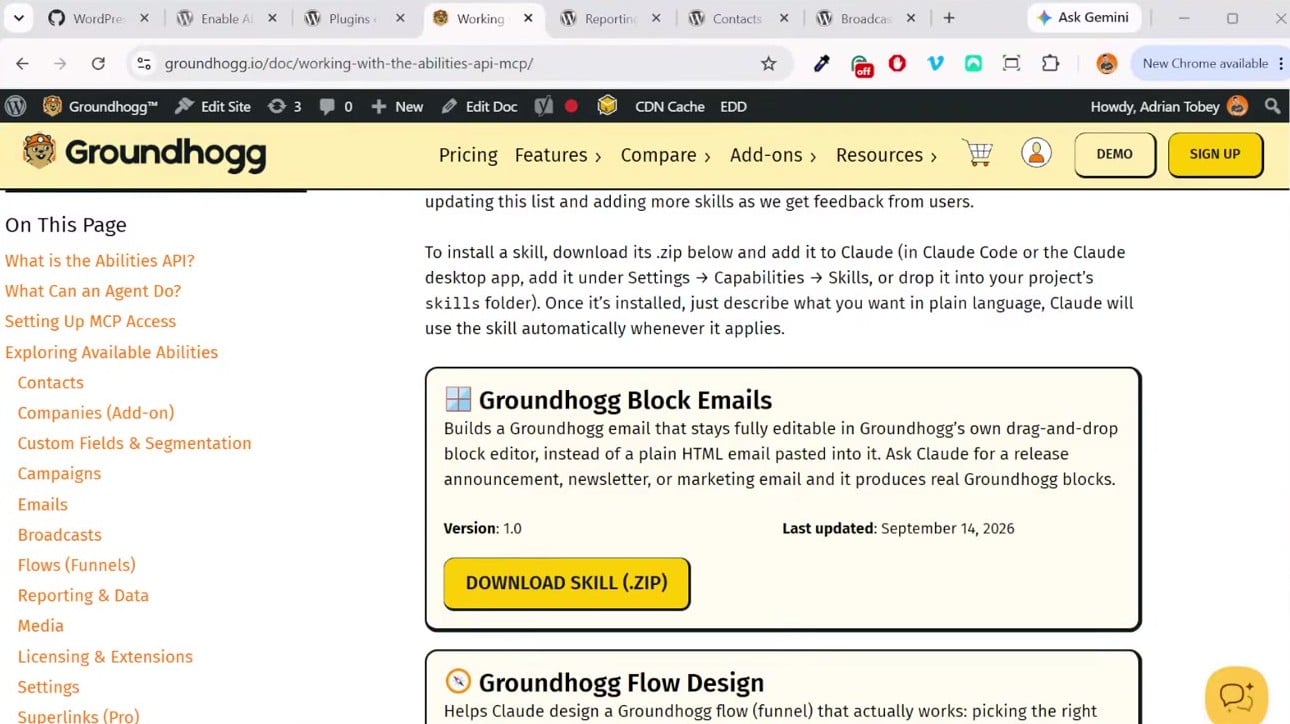
Update to Groundhogg 4.9, then go to Resources, Documentation on groundhogg.io and open “Working with the Abilities API and MCP.” It lists the prerequisites, how to connect your agent, every ability that’s available and the Claude skills to download.
4.9 also lets you receive replies to your emails inside Groundhogg, on the contact record. I didn’t demo that one, but it’s live now.
If you want to see what else an agent can do, subscribe on YouTube for the next live, and tell me in the comments what you want me to try.