


Groundhogg uses the opt-in status plus other factors to determine the marketability of a contact. Marketability being whether a contact can recieve marketing email or SMS.
Opt-in Status Definitions
Opt-in status is the primary factor for whether a contact is considered marketable. These are the standard definitions for the opt-in statuses in Groundhogg.
| Opt-in Status | Definition | Marketing | Transactional |
|---|---|---|---|
| Unconfirmed | When a contact is unconfirmed it means that they have opted in but have provided no further explicit consent. It is the default status of a new contact. | Depends | ✅ |
| Confirmed | A confirmed contact is someone that has confirmed their email address by clicking a double opt-in confirmation link, thereby providing explicit consent to receive marketing. See CASL compliance. | ✅ | ✅ |
| Unsubscribed | A contact becomes unsubscribed in the event they unsubscribe via a link in an email. | ❌ | ✅ |
| Bounced | If you have bounce checking enabled (or an API based SMTP service) a bounced email will change the opt-in status to bounced, preventing futher emails. | ❌ | ❌ |
| Spam | You can manually mark a contact as spam. When set to spam the opt-in status can only be changed by an administrator. | ❌ | ❌ |
| Complained | Applied to contacts that mark a received email as SPAM in their email client (different from the spam opt-in status label). Only supported when using an API based SMTP integration. | ❌ | ❌ |
| Blocked | You can manually designate a contact as blocked. When set to “Blocked”, the opt-in status can only be changed by an administrator, and the contact will recieve no emails. | ❌ | ❌ |
Double opt-in (email confirmation)
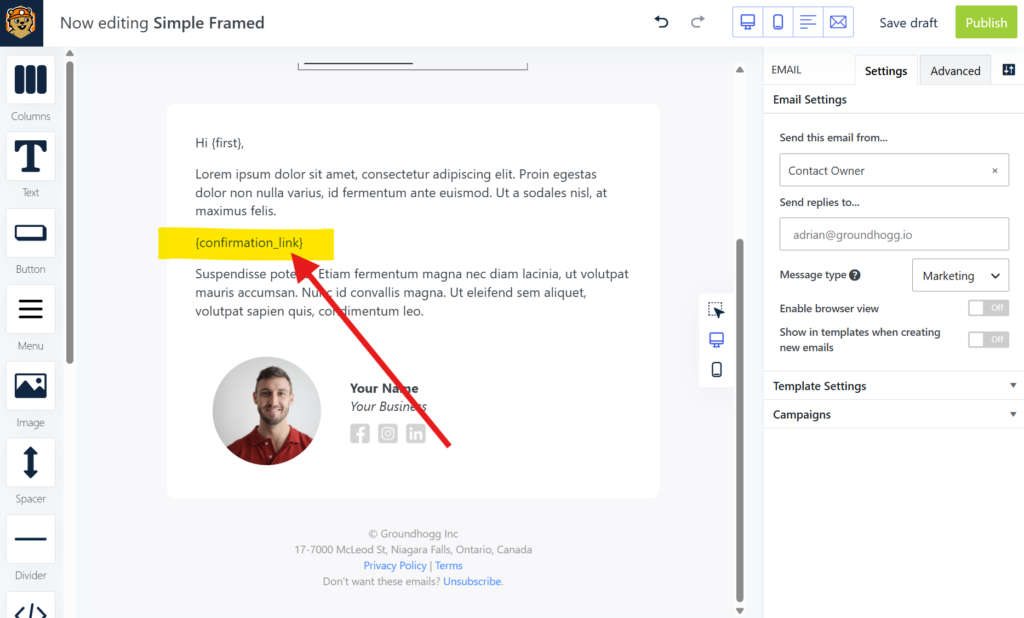
The confirmed opt-in status label is a reflection of a contact’s double opt-in, typically set whenever a contact clicks a double opt-in (confirmation) link in an email using the {email_confirmation_link} replacement code. When contact’s click that link they are providing explicit consent (see CASL compliance) to recieve marketing from your business.
Administrators can set the opt-in status to confirmed manually in the contact record or by using the bulk edit tool for a segment of contacts, but it’s important to consider that your business may be required to provide proof to governing authorities of how any contact provided explicit consent. If a record of explicit consent can’t be provided you could be liable for damages.
Purchasing a product, submitting a form, or calling in are not necessarily valid forms of explicit consent, but are rather implied consent, reflected best in the unconfirmed opt-in status.
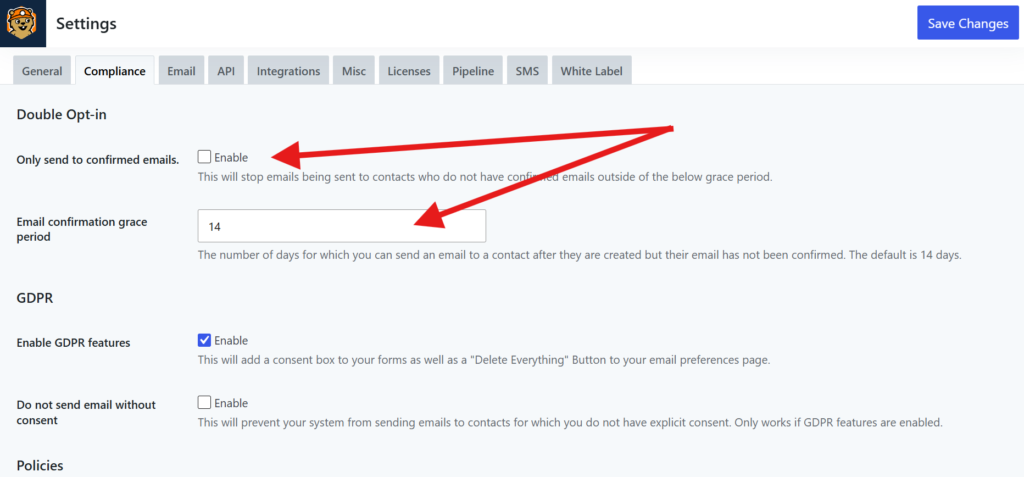
If the Only send to confirmed emails option is enabled, then unconfirmed contacts will become unmarketable if not confirmed by the end of a user defined grace period.
GDPR Marketability factors
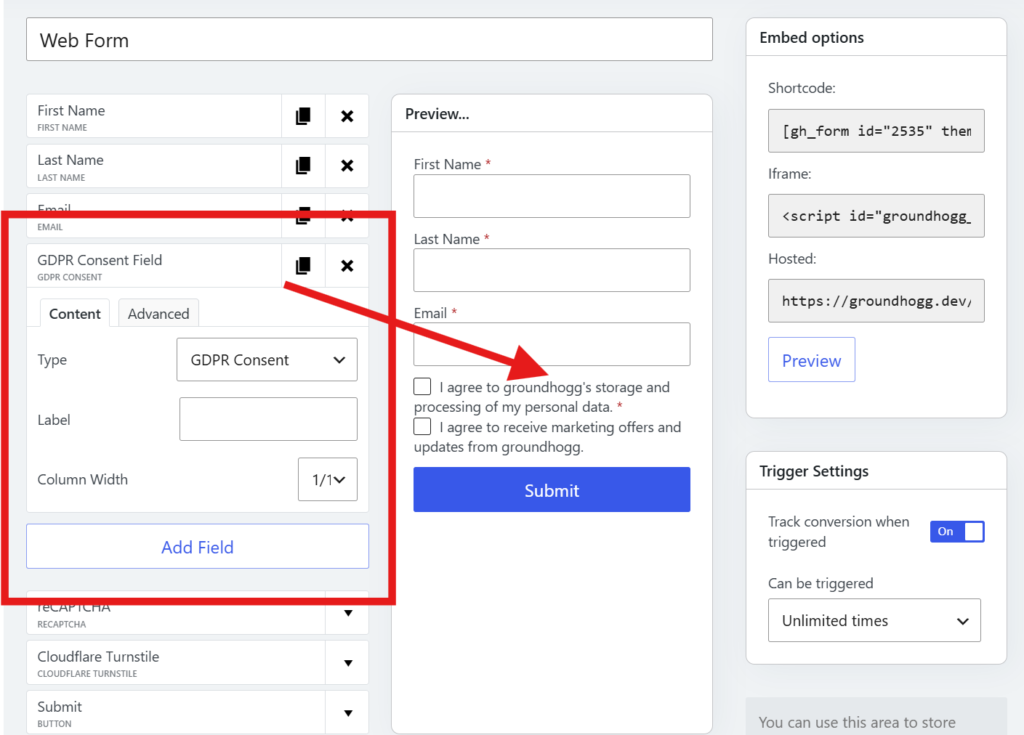
If your business is required to be GDPR compliant, marketability will also be determined by collecting both explicit marketing consent and explicit data-processing consent at opt-in, which can be done by adding the GDPR field to any Groundhogg form, or by mapping any form integration to the GDPR consent fields.
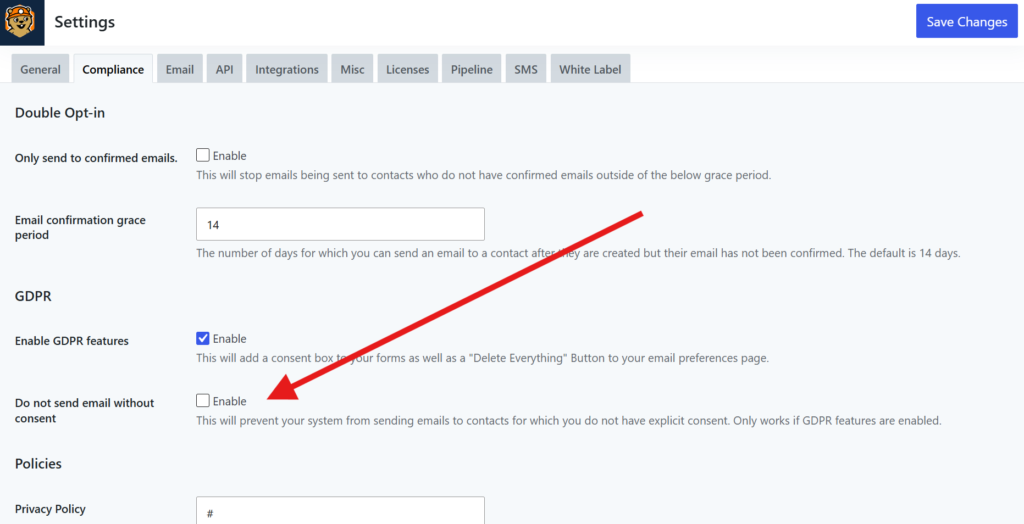
Marketability will only be affected if you have the Do not send email without consent option enabled in Groundhogg >> Settings >> Compliance. If enabled, any contact without tracked consent will be unmarketable regardless of opt-in status.
Unlike the confirmed opt-in status, GDPR consents can only be modified by the contact, and can be rescinded at any time in the preferences center.
Why are my contacts unmarketable?
If you have a contact that is not marketable it is likely becuase…
- Their opt-in status is one of the unmarketable statuses; unsubscribed, spam, blocked, complained, etc…
- They have not provided double opt-in explicit consent (email confirmation) and you have the Only send to confirmed emails option enabled in your CASL compliance settings.
- You have the Do not send email without consent option enabled in your GDPR compliance settings and the contact has not provided the required consents.
Was this helpful?
Let us know if this document answered your question. That’s the only way we can improve.