Groundhogg’s email broadcast feature lets you easily inform your entire contact list about important events, sales, and updates.
Schedule Your Emails
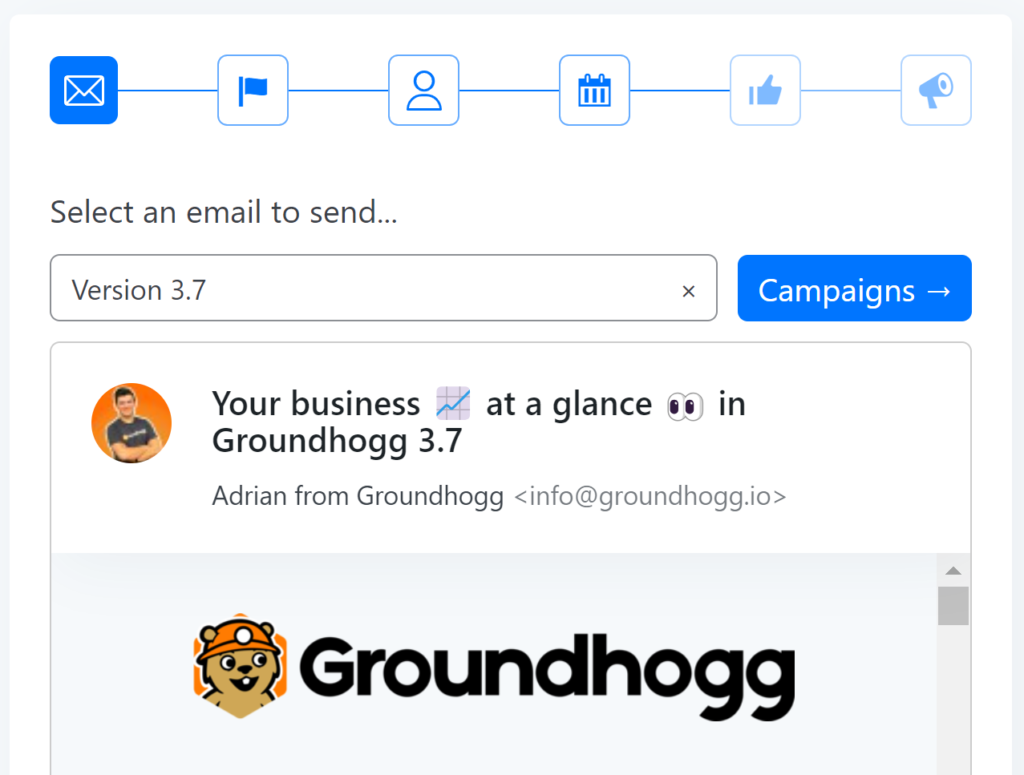
Plan and schedule your email broadcasts to be sent out at optimal times. Whether you want to announce a sale, share news, or promote an event, you can set up your emails to go out at specific times to maximize impact.
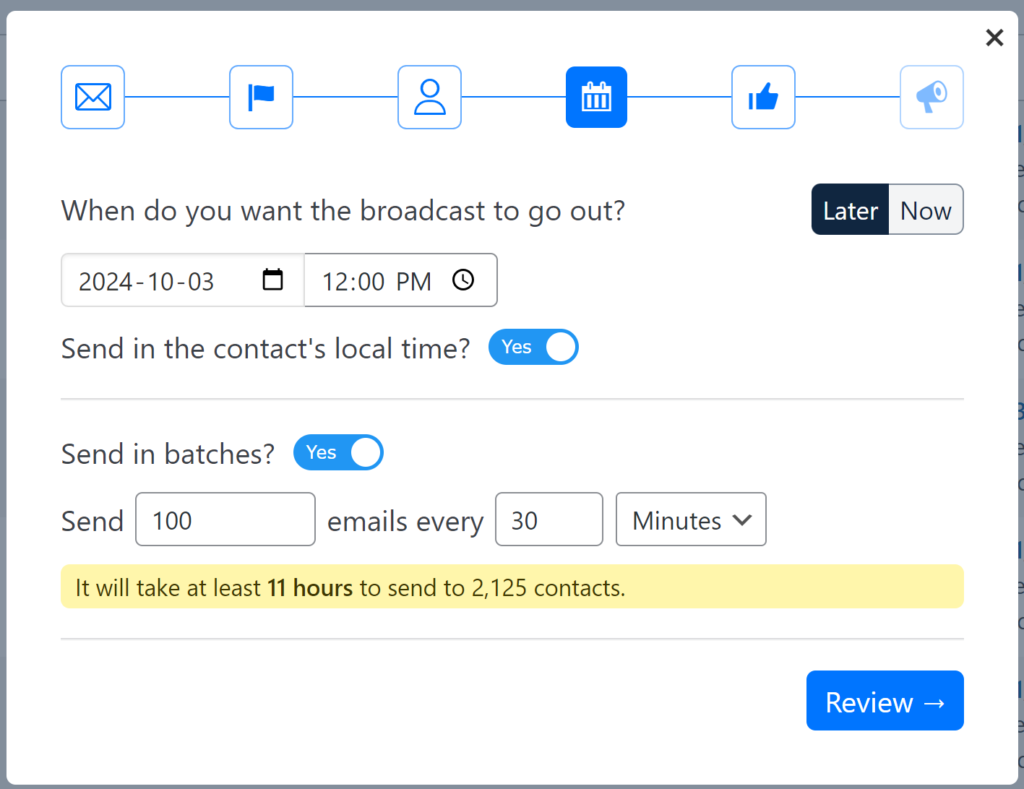
Local Time Zone Flexibility
Enable the “Send in the contact’s local time” option to ensure that your emails are delivered at the most convenient times for each recipient. This feature uses the contact’s recorded time zone to send emails at the appropriate hour, enhancing engagement and effectiveness.
New in 4.8: Broadcasts Calendar View
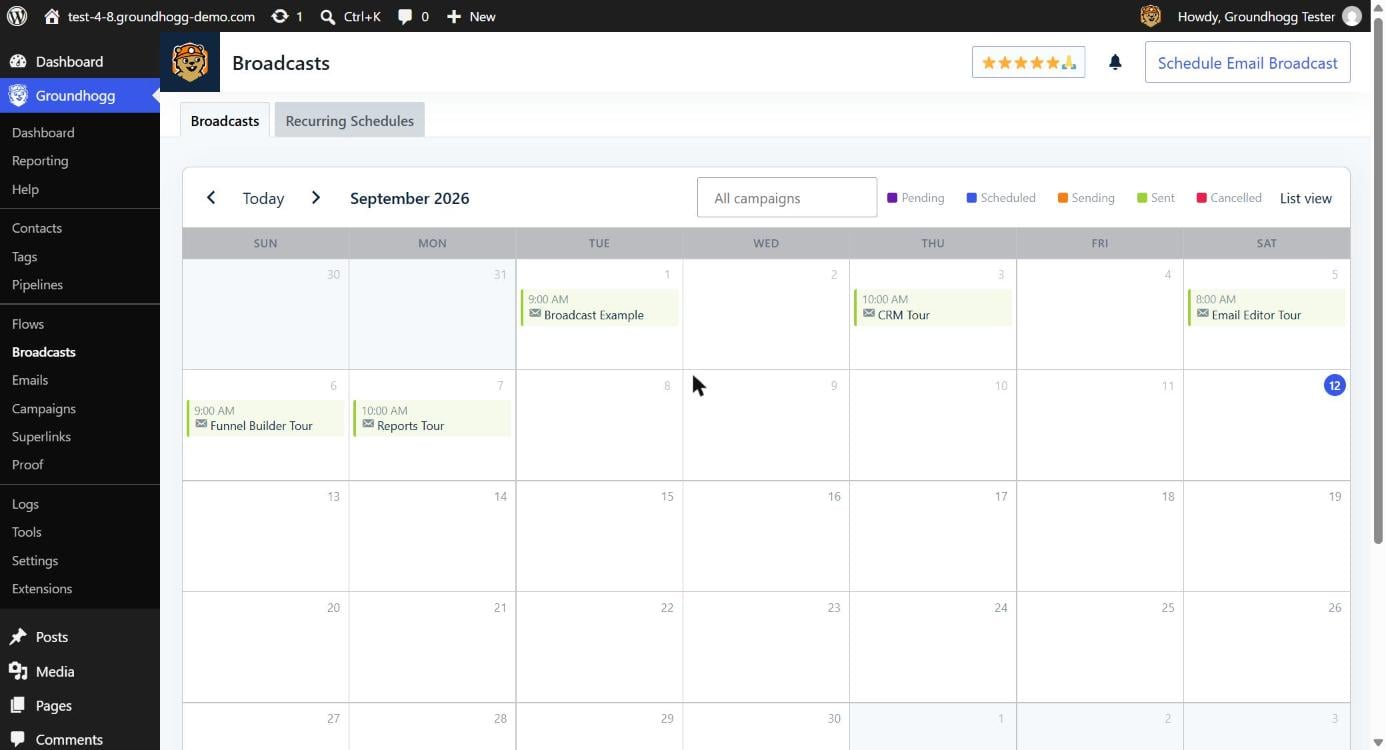
Broadcasts now have a full calendar view, so you can see everything that’s pending, scheduled, sending, sent, or cancelled at a glance across the whole month, color-coded by status. Filter the calendar down to a single campaign to check for gaps or conflicts in your send schedule before they become a problem.
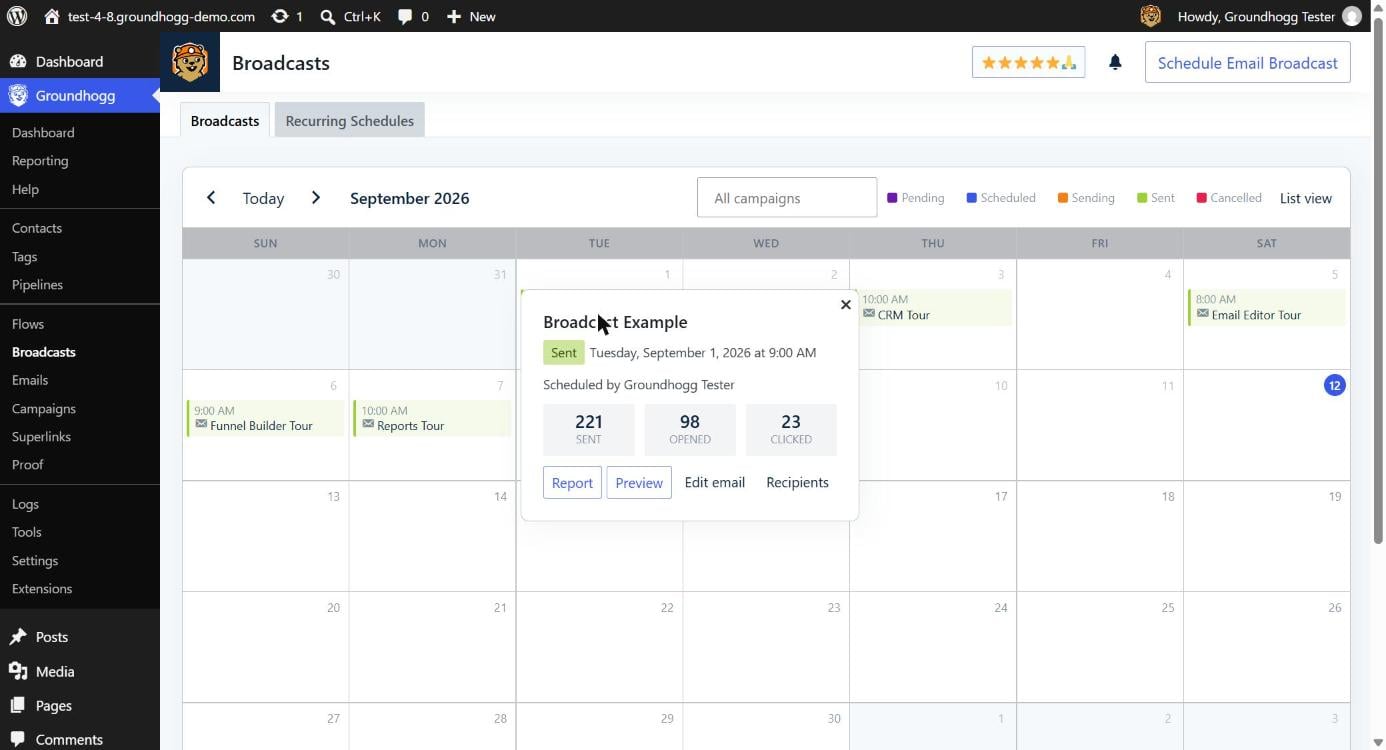
Click any broadcast on the calendar to open a details popover right where you are — its status, when it’s scheduled to go out (or did), who scheduled it, and live stats for sent, opened, and clicked. From there you can jump straight to the full report, preview the email, edit it, or view its recipients, all without leaving the calendar.
Keep Your Audience Informed
Use email broadcasts to keep your audience updated and engaged with timely information. Schedule and manage your broadcasts to ensure that your communications reach your contacts when they are most likely to take action.
Make the most of your email marketing efforts with Groundhogg’s flexible and powerful email broadcast capabilities.