Groundhogg 4.11 is out. It makes AI part of everyday work in your CRM, and adds new ways to protect your contacts and stay on top of your day. Here’s what’s new…
- Build and edit emails and flows with your AI assistant
- Hide contacts’ personal details from users who don’t need them
- A daily My day email with your tasks and replies
- Site Health checks that catch email and automation problems early
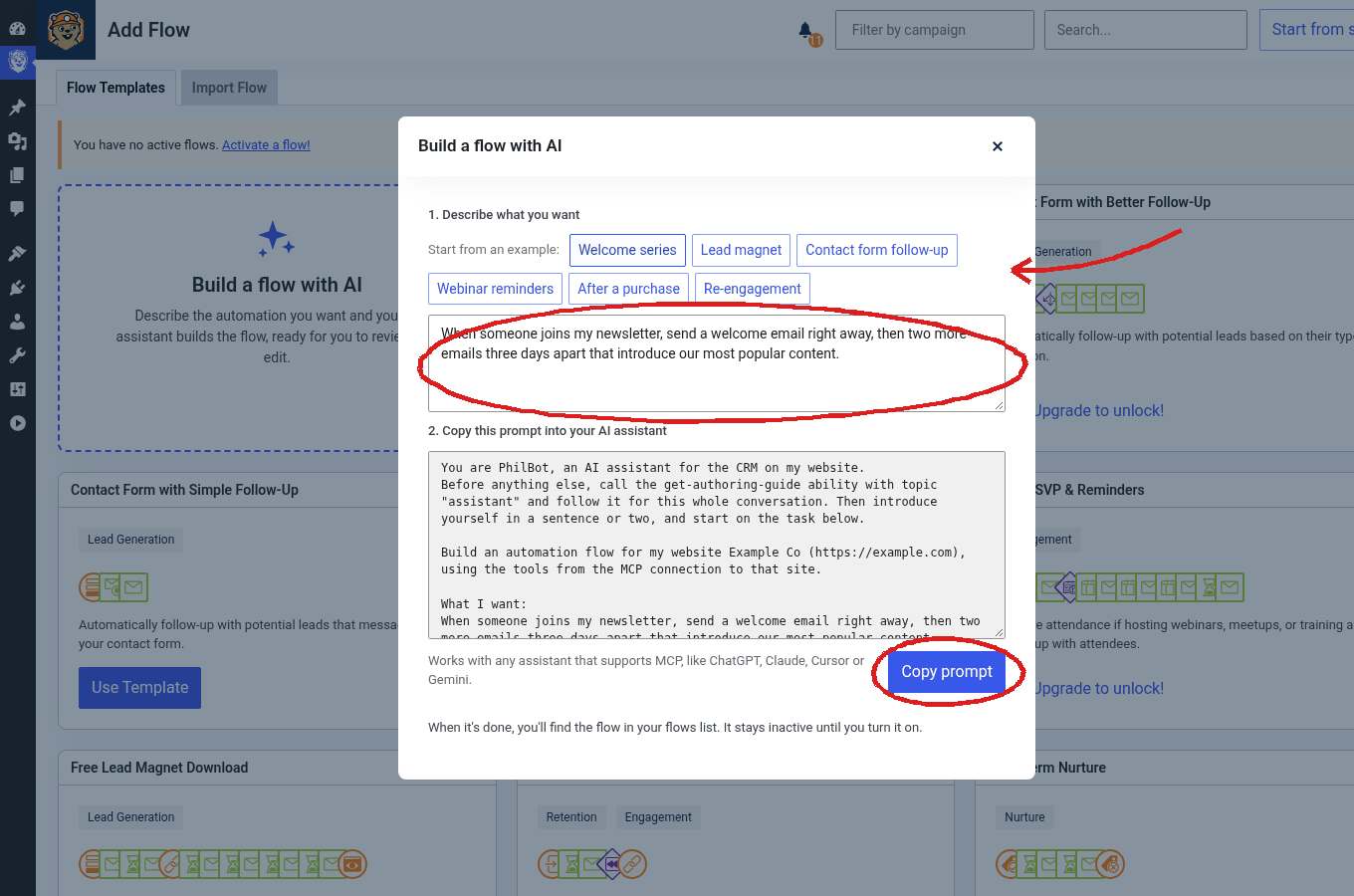
🤖 Build and edit with AI
In 4.10 you could connect an AI assistant to Groundhogg. Now it’s built into the places you work:
- Build with AI on the Add Email and Add Flow screens, and Edit with AI in the email and flow editors, give you a ready-made prompt to paste into your assistant. Not connected yet? They walk you through it first.
- Hand off your setup. The guided setup can pass the whole job to your assistant. It works out what’s left and does everything that doesn’t need a person: cron, sender profiles, settings, importing contacts and flow templates.
- Everyone gets an assistant. Anyone on your team who can view contacts can connect their own, including through the Claude and ChatGPT apps.
Your assistant asks before anything reaches your contacts, never asks for passwords or keys, and can answer how-to questions straight from our documentation. Read Build and Edit with AI to see how it works, or connect an assistant first.
🔒 Keep personal details private
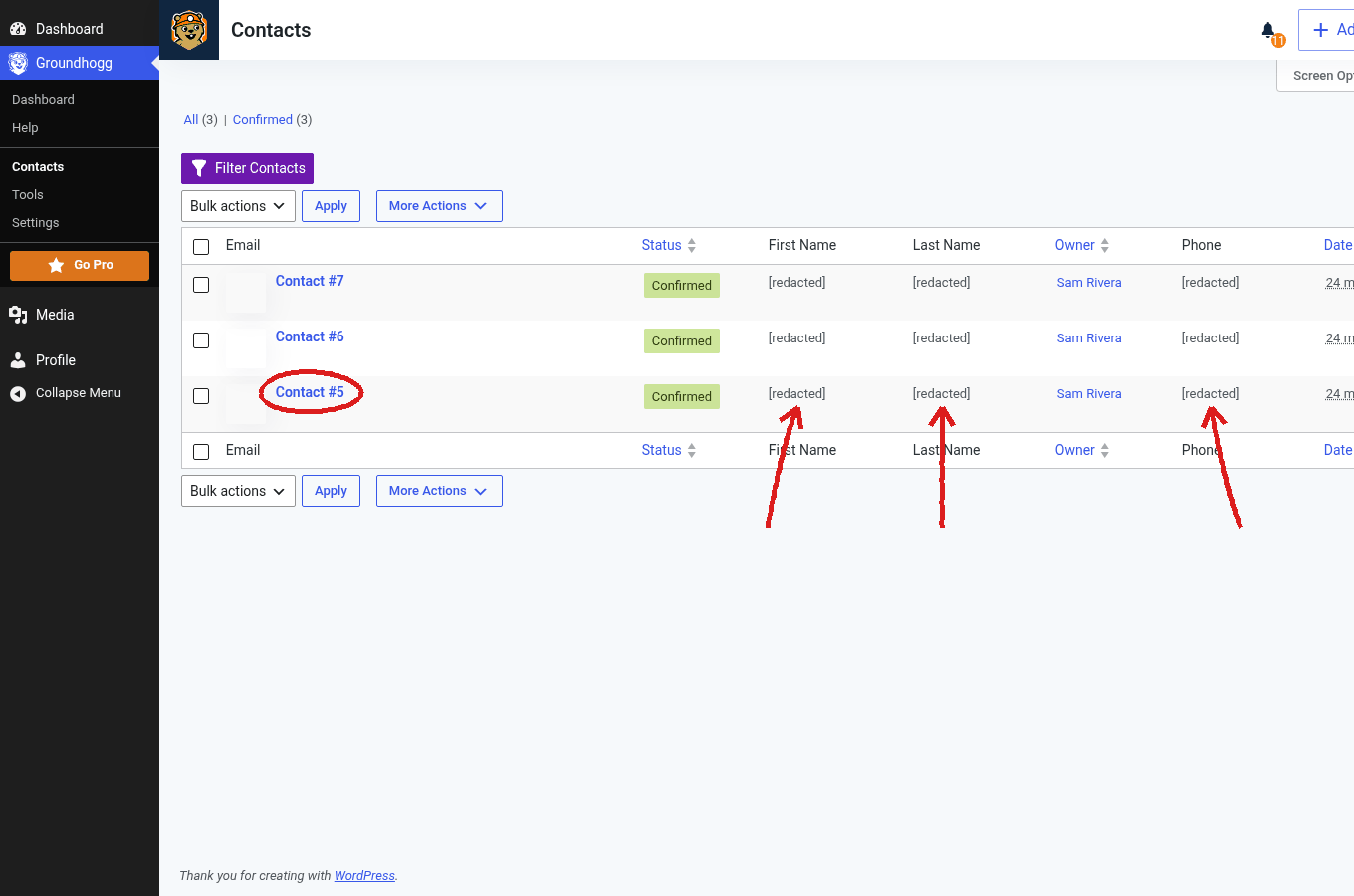
Not everyone who works with your contacts needs to see who they are. Uncheck Personal information on a user’s profile, and they can still work with contacts, but see [redacted] in place of names, email addresses, phone numbers and other personal details.
- It covers the admin, the REST API and AI agents, so an assistant connected as that user is limited too.
- Personal details in notes and tasks are redacted, and so are custom fields you mark as containing personal information.
- Exports, imports and contact files are closed to them.
Everyone who can view contacts keeps access when you update, so nothing changes until you decide it should. It’s a good fit for agencies, virtual assistants and contractors who help run your CRM. Learn how to set it up.
☀️ Your day, in one email
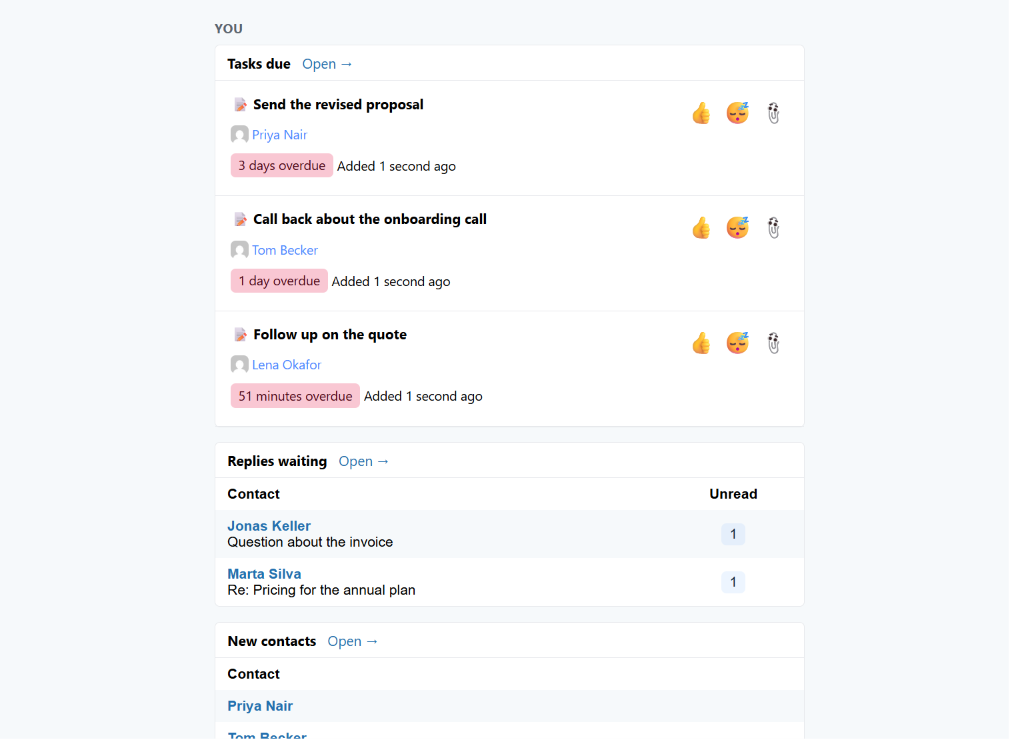
Start each morning knowing exactly what needs you. The new My day email lists your overdue and due tasks, unread replies and new contacts, delivered at the time you choose.
You can snooze or complete tasks right from the email, without signing in. Turn it on from the Notifications card on your profile. It’s off until you do.
🩺 Catch problems before they cost you
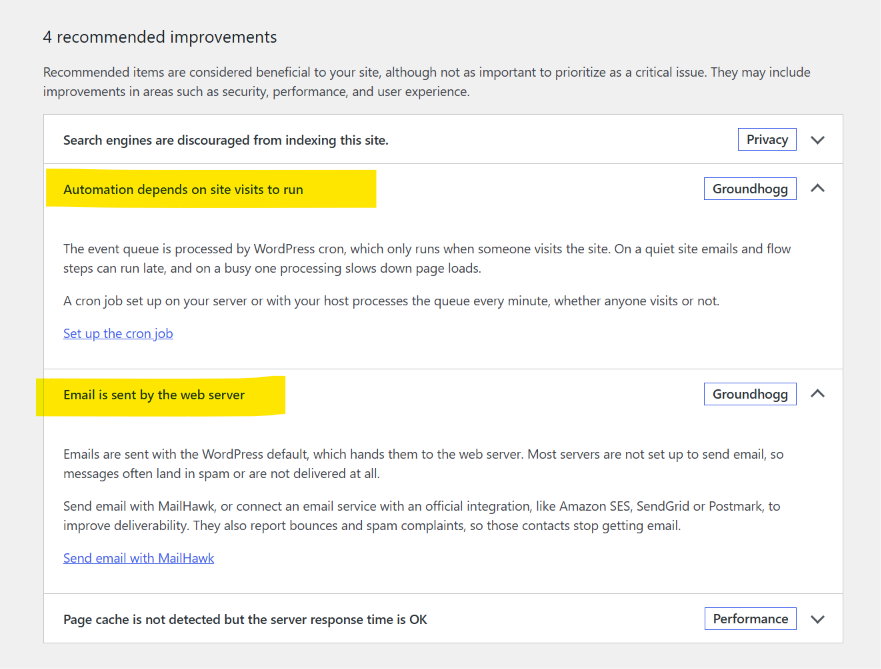
Some problems don’t announce themselves. Your emails just quietly stop going out, or your flows stop moving. The new Tools > Site Health page checks for the usual suspects:
- Late events and cron that isn’t running
- Email that’s only being logged, or sent through PHP mail or an SMTP plugin that doesn’t report bounces
- Failed events and emails, and stuck background tasks
- Pending database updates, plain permalinks, safe mode and unlicensed extensions
Every result links straight to the fix.
✨ Also new
- Unsubscribe from admin notifications. Every admin notification email now has a link to turn it off, no sign-in needed.
- Easier settings. Long settings tabs have a table of contents that follows you down the page.
- One-click email sending. The Email settings tab can install MailHawk and take you straight to connecting it.
- A mobile app that looks like yours. The app is now named and colored after your site, so apps for different sites are easy to tell apart.
🔧 Worth a look after you update
- Check segments that exclude tags. Excluding contacts with any of several tags only excluded those with all of them, and the reverse. That’s fixed, so a segment, broadcast or report that excludes several tags may now include a different set of contacts.
- Page tracking settings now work. “Disable page tracking” did nothing, and disabling open tracking turned off page tracking instead. If you’d changed either one, check it’s set the way you want.
- More reliable Link Click triggers. Click redirects could be cached by a page cache or CDN, which skipped the trigger. They aren’t anymore.
- Security hardening. This release fixes an issue with post titles in emails, reported through Wordfence, and sandboxes email previews. Please update.
⬆️ Updating
- Update Groundhogg to 4.11.
- Visit Tools > Site Health and fix anything it flags.
- Turn on My day from your profile, and review who should see personal information.
Want every detail? Read the full changelog.
Questions or something not working? Let us know in the comments or contact support.
— Adrian