
Groundhogg 4.10 is out, and it’s all about working the way you want: from your phone, with an AI agent, or in the dark. Here’s what’s new…
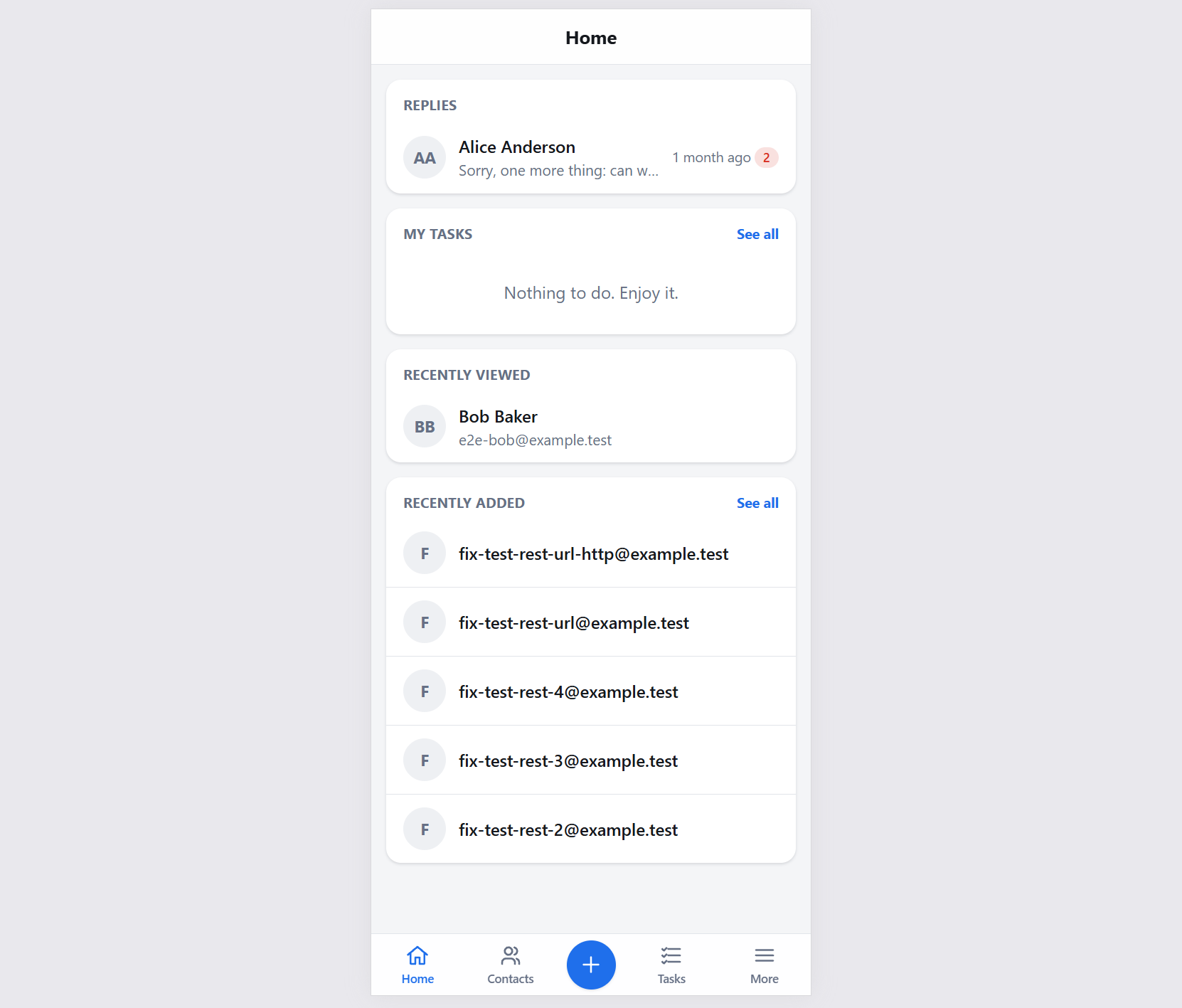
- A mobile app for your CRM, installed with a QR code
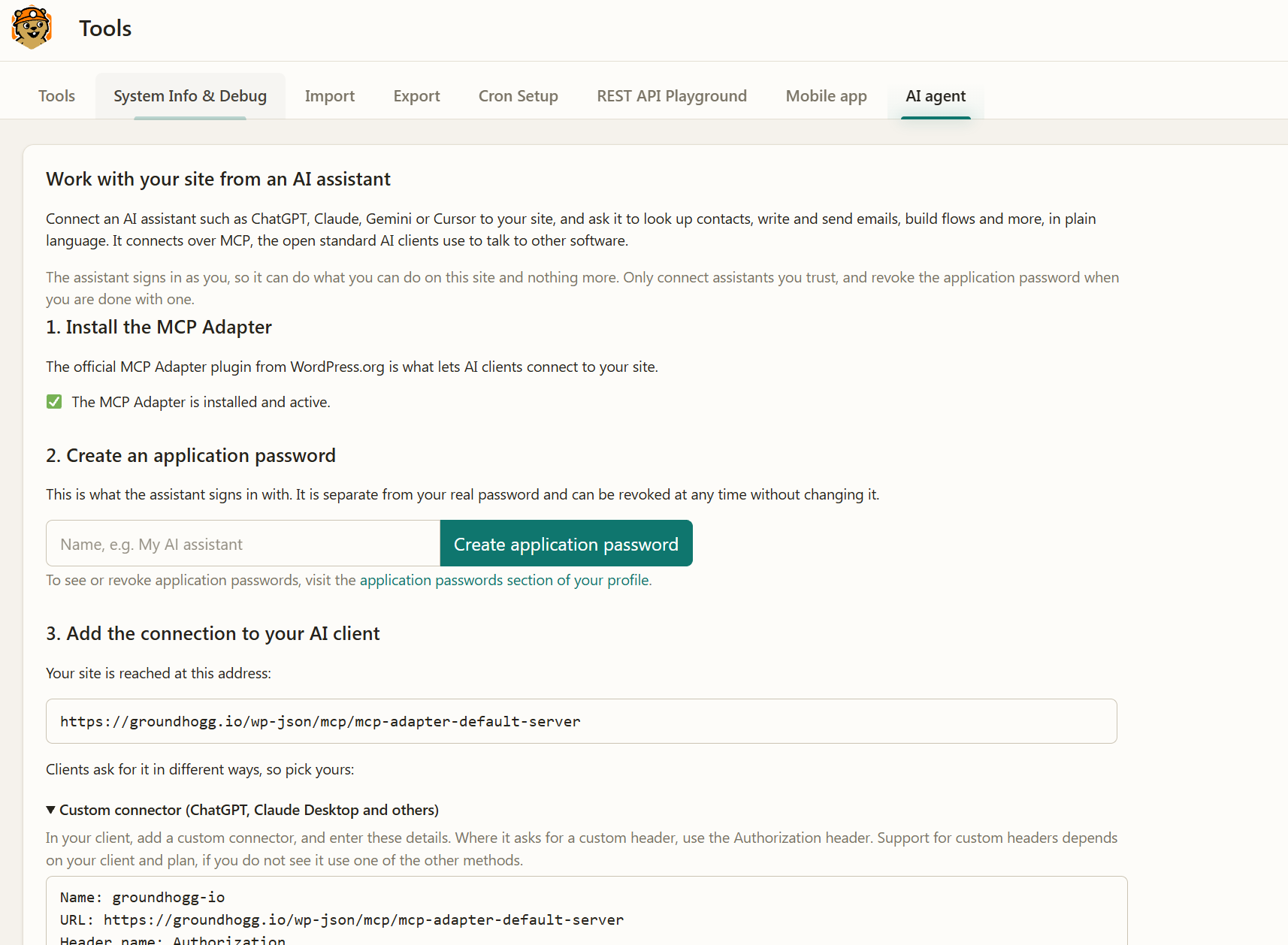
- Connect ChatGPT, Claude, Cursor and more in a few clicks
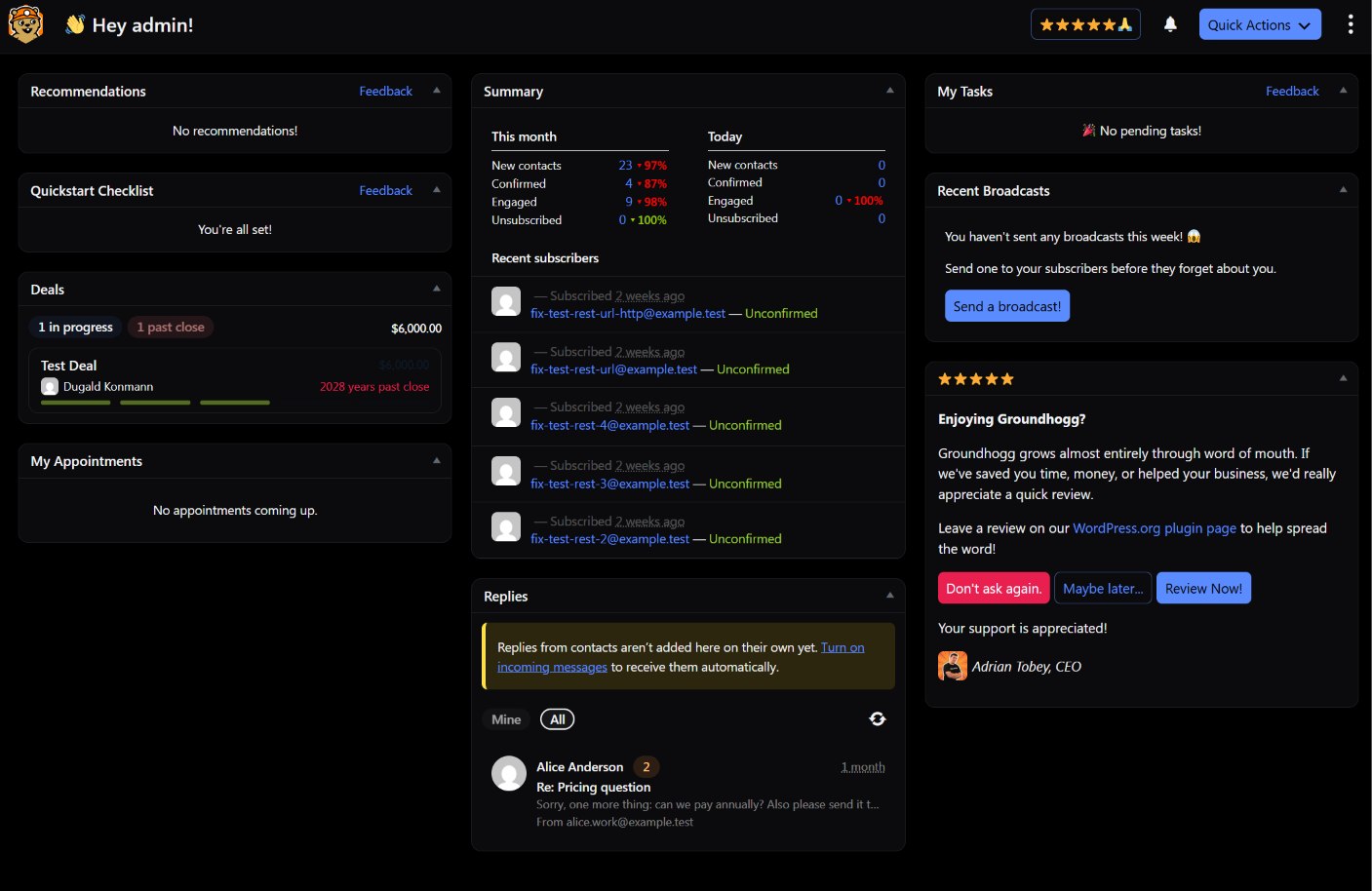
- Interface themes, including two dark ones
- Find any setting with Ctrl or Cmd + K
- Plus everything from 4.9.1 to 4.9.4: bounce handling, a new preferences center and fixes
📱 Your CRM, on your phone
Groundhogg now comes with a mobile app you can install on your phone. It’s built for the things you actually do away from your desk:
- Look up a contact, then call, text or email them
- Work through your tasks and add notes
- Fill out a form for a contact
- Read and answer replies from your Messages
How to install it: go to Tools > Mobile app and scan the QR code with your phone (there’s also a link on the dashboard).
It only shows what the person using it is allowed to do, so it’s safe to hand to your sales reps. Add-ons can add their own screens to it too. Read the mobile app guide for the details.
🤖 Connect an AI agent in a few clicks
Since 4.8, AI agents have been able to build flows, schedule broadcasts and manage contacts in Groundhogg. Getting one connected took some setup. Not anymore.
The new AI agent tab in Tools installs the MCP Adapter plugin, creates an application password for you, and walks you through connecting ChatGPT, Claude, Codex, Cursor, Gemini CLI, VS Code or a custom connector. You’ll also see it recommended on the dashboard and at the end of the guided setup.
An agent can only do what the user it acts as is allowed to do, and changes to a live flow are staged until they’re published. Our AI agent guide walks you through setup, with prompts to try and tips for using an agent safely.
Want to see what it can do first? Watch me connect Claude live and have it build a flow, edit a live one and fix my reports. (Needs WordPress 6.9 or later.)
🎨 Pick a look, including dark mode
Choose from four interface themes: Light, Paper, Slate (dark) or Midnight (dark). Your theme is saved per user, so everyone on your team can pick their own. Change it from your user profile, the new Look step in the guided setup, or the command palette.
Everything is styled for each theme, from tables and modals to the flow editor and email editor. The email you’re editing stays white, the way your contacts will see it. See all four themes.
- Command palette. On WordPress 7.0 and later, press Ctrl or Cmd + K to jump straight to any Groundhogg setting or admin page tab.
- Better on phones. Admin pages, modals and side-by-side forms like tags and campaigns now fit small screens.
📬 Also new since 4.9
Four smaller releases went out in October. In case you missed them:
- Handle Bounces Now. If you receive bounces in an IMAP inbox, a new button in Settings > Email checks the last 7 days and shows you exactly which contacts were marked as bounced and why. The bounce checker itself is also much more reliable.
- A new preferences center. The profile, unsubscribe and erase pages and your campaign archives have a cleaner card layout, follow your visitor’s light or dark setting, and work on phones.
- Emails look better on phones. Emails no longer scroll sideways in apps like Gmail with a non-Google account, and four-column layouts now show as two rows of two.
- More control over deleted steps. Contacts moved off a deleted flow step can run when that step normally runs, or at a date and time you pick.
- Missing files are back. Files uploaded to contacts before 4.7.2 that went missing from the Files tab are moved back where they belong.
🔧 Worth a look after you update
- Using {files} or other replacement codes that add links? Their links now pick up your text block’s color and font in every email client. Open and save those emails once in the editor to get the fix.
- REST API keys are deprecated. They still work for now, but new integrations should use WordPress application passwords.
- Report numbers may change. The contacts by country, lead source and source page reports were counting every contact instead of only those created in the date range. They’re accurate now.
- Security hardening. 4.9.1, 4.9.3 and 4.9.4 included fixes for sign-in links, campaign archive pages and file handling, reported through Wordfence. If you’re on 4.9 or earlier, please update.
⬆️ Updating
- Update Groundhogg to 4.10.
- Pick your theme from your user profile, and install the app from Tools > Mobile app.
- Re-save any emails that use {files}, and move integrations from API keys to application passwords.
Want every detail? Read the full changelog.
Questions or something not working? Let us know in the comments or contact support. We’d love to hear which theme you pick.
— Adrian