
Documentation » Lead Generation
Social Proof
The Social Proof add-on shows small popups on your site with what other people have recently done, like “Jane from Toronto, Ontario just signed up.” It’s one of the easiest ways to increase conversions on your lead capture pages, and the popups work on phones too.
Once the add-on is active, you’ll find a new Proof menu under Groundhogg.

Creating a Proof
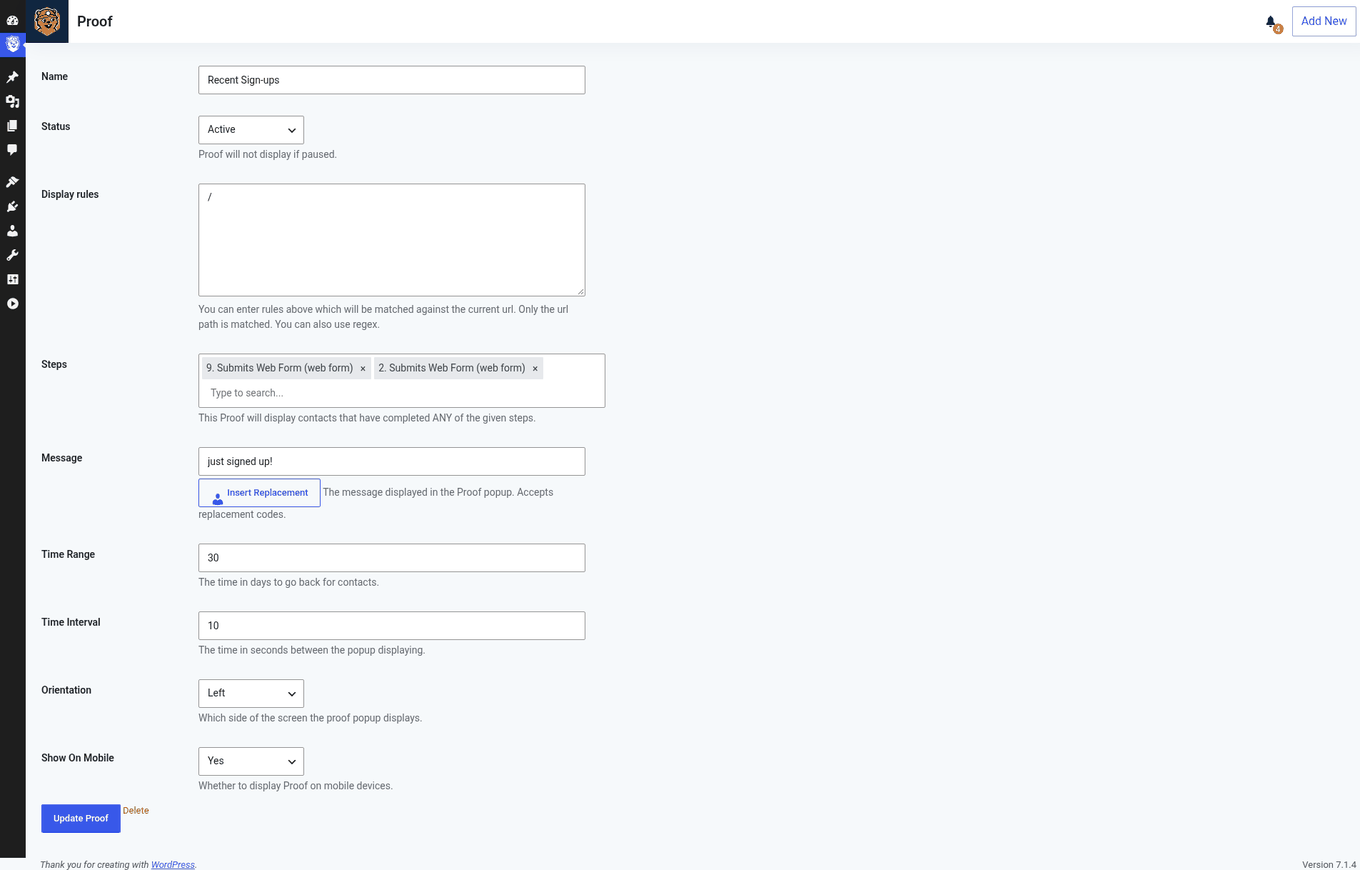
Each proof has its own settings page, where you set:
- Name and status: what you call the proof, and whether it’s showing.
- Display On: which pages the popups appear on (see below).
- Activity to show: the flow triggers, such as a form being submitted, whose activity the popups announce.
- Message: the text to show in each popup.
- Time range and interval: how far back to look for activity, and how long to wait between popups.
Choosing where proofs show
In Display On, enter only the path of the page, without your domain. For example, use /signup/, not https://example.com/signup/.
- To show on every page of your site, use
/$ - To show on your front page only, use
^/$
Managing Proofs
The Proof page lists all your proofs. Click a proof’s name to edit it. To delete proofs, delete them one at a time from the list or select several and use the bulk actions.
Customizing the Popup
Changing “from Somewhere Sunny”
Popups show the contact’s first name, followed by their city and state or region, like “Jane from Toronto, Ontario.” When Groundhogg doesn’t know where a contact is, it says “from Somewhere Sunny” instead.
To change that text, or remove the location entirely, use the Loco Translate plugin:
- Install and activate Loco Translate.
- Go to Loco Translate > Plugins, search for “Social”, and click Groundhogg – Social Proof.
- Click New Language, pick your site’s language, and click Start Translating.
- Filter the strings for Somewhere and enter the text you want instead. To show nothing, enter
(a blank space). - To remove the word “from” as well, filter for from and enter
. - Click Save.
Removing “powered by Groundhogg”
Each popup includes a small “powered by Groundhogg” credit and a lightning bolt icon. To remove them, add this code to your theme’s functions.php file or a code snippets plugin:
// Remove the "powered by Groundhogg" text and link
add_filter( 'groundhogg/proof/show_proof/credit_link_atts', '__return_empty_string', 11 );
add_filter( 'groundhogg/proof/show_proof/credit_link_text', '__return_empty_string', 11 );

// Hide the lightning bolt icon
add_action( 'wp_head', function () { ?>
<style>
	.proof-credit { display: none; }
</style>
<?php } );