Elementor Forms Integration
If you use Elementor forms and want to send that information to Groundhogg you need this extension. Easily map Elementor form fields to contact fields in the Groundhogg CRM, apply tags, and start flows.
Requirements
To integrate Elementor Forms with Groundhogg you must have access to an Elementor Plan that has access to the website builder and the Form widget.
Connecting a form
Add the form widget in Elementor to your page.
Open the Actions After Submit panel and select Groundhogg.
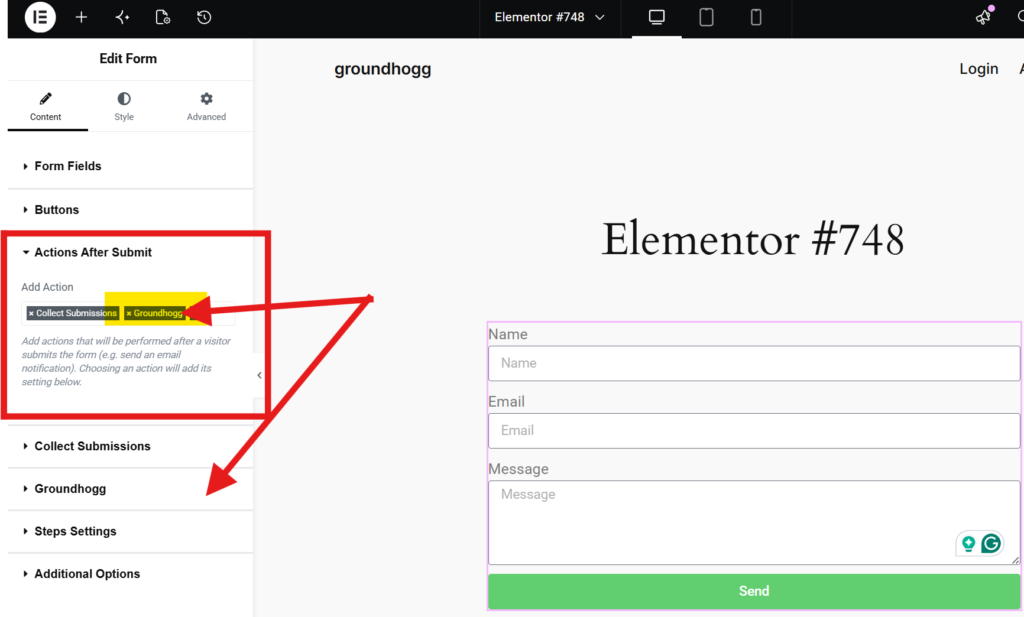
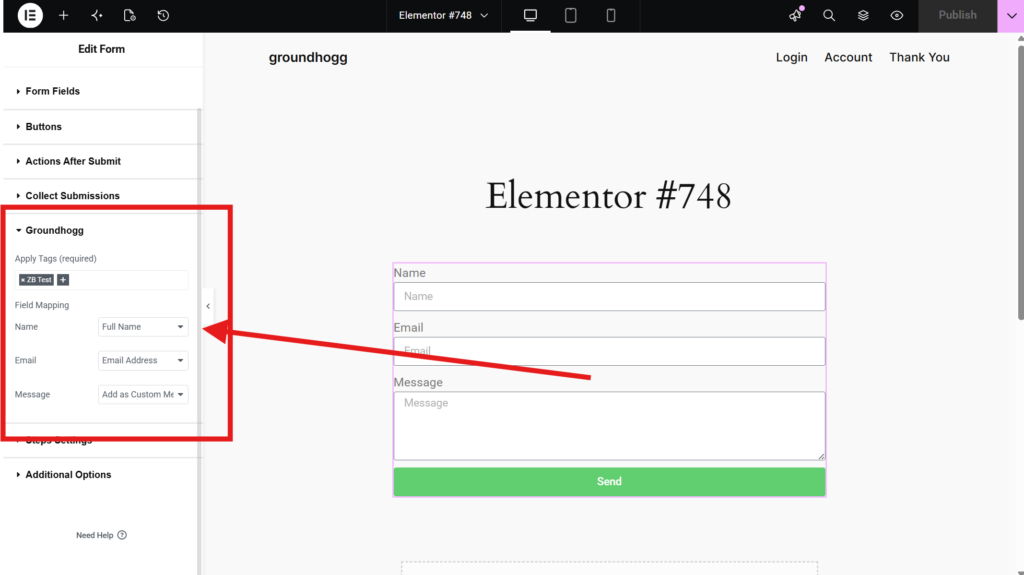
Open the Groundhogg panel, and select one or more tags to apply to the created contact record. Then, map the form fields to the relevant contact field using the field mapping settings.
Publish the page when you’re satisfied with the configuration.
Common gotchas
If the integration is not working as expected, check these things:
No tags selected
At least one tag must be selected for the integration to work.
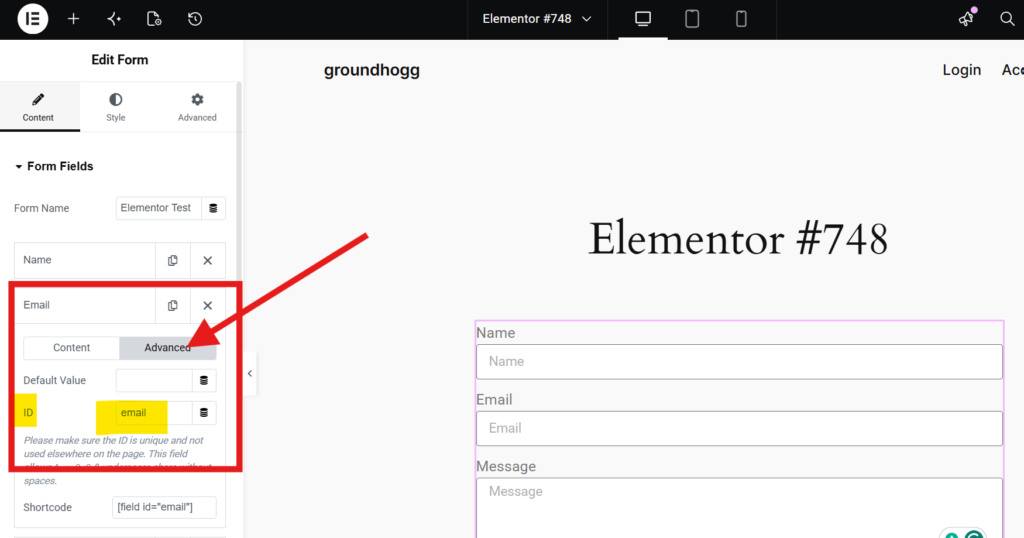
Missing field IDs
When creating forms sometimes not every field receives and ID, if the field does not have an ID then Groundhogg does not know how to map the form field to a contact field. Make sure every field has an ID in the field’s advanced tab.
No email field mapped
The integration requires an email field to be mapped so Groundhogg can create a contact record, or update one that already exists.
Seeing submissions
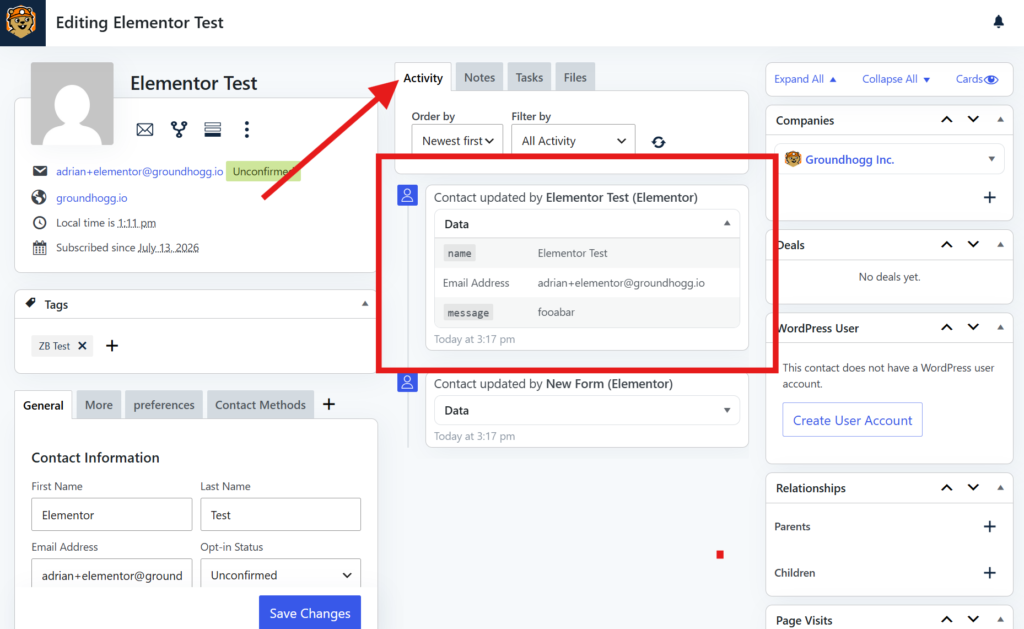
You will see any new contacts created in the contact list, and a submission record of any form responses from Elementor in the activity timeline.