ThriveCart Integration
With our ThriveCart integration you can collect customer data directly from ThriveCart and start automation and flows.

Love it, or get your money back.
All plans and add-ons are covered by our 100% money back guarantee. If for any reason you wish to discontinue, we’ll promptly refund your initial payment.
 Adrian Tobey, founder
Read the refund policy → · Talk to us
Turn every ThriveCart sale, renewal, cancellation, and refund into a contact and a flow in Groundhogg, so the conversation keeps going after checkout.
Don’t let the conversation end at checkout
ThriveCart is great at getting the sale. But once the payment goes through, your customer usually just gets a receipt, and that’s it.
Connect ThriveCart to Groundhogg, and every order lands in your CRM automatically. The buyer is added as a contact (or their existing record is updated), and you can start a flow the moment they buy, renew, cancel, or ask for a refund. Onboarding, upsells, win-backs, and check-ins all run on their own, right inside WordPress.
All Features
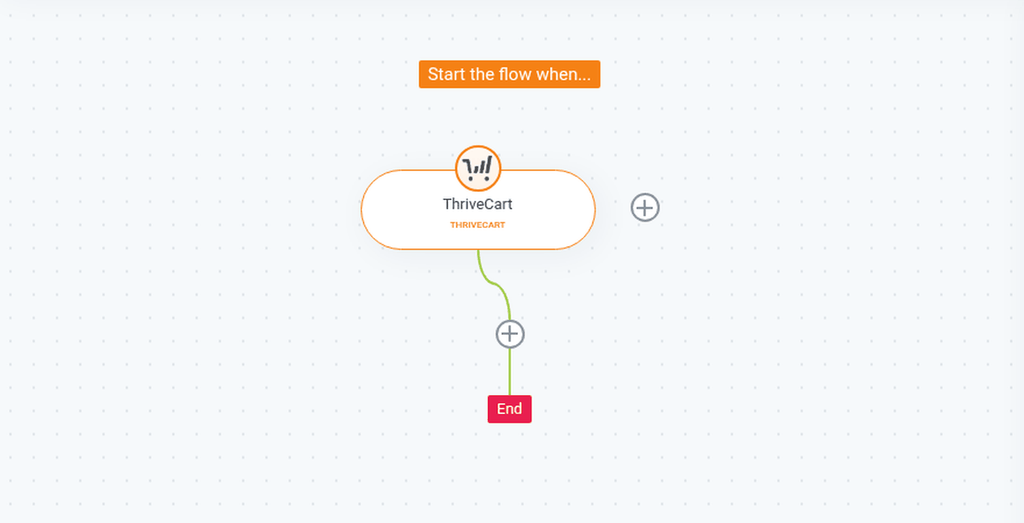
- A new ThriveCart trigger in the flow editor. Start flows from ThriveCart webhook events.
- Four order events to choose from:
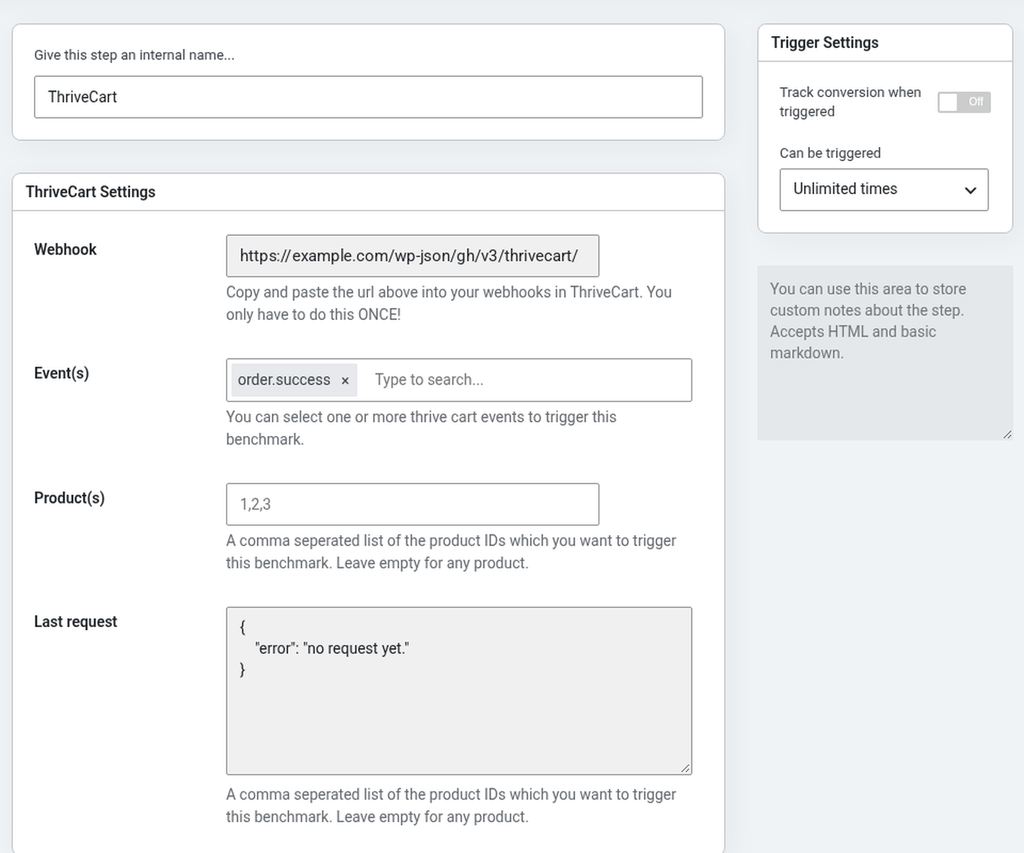
order.success: a new purchaseorder.subscription_payment: a subscription renewal paymentorder.subscription_cancelled: a subscription was cancelledorder.refund: an order was refunded
- Pick one event or several. A single trigger can listen for any combination of events.
- Target specific products. Enter the ThriveCart product IDs that should start the flow, or leave it blank to trigger on any product.
- Customers become contacts automatically. First name, last name, email, IP address, and billing address (street, city, state/region, country, and postal code) are saved to the contact record.
- One webhook for everything. Copy a single webhook URL into ThriveCart once, and every flow can use it.
- Secured with your ThriveCart secret. Requests without your matching Webhook Secret are rejected.
- See the last request. The trigger shows the most recent data ThriveCart sent, so you can confirm it’s connected without guessing.
Welcome new customers the moment they buy
Use the ThriveCart trigger with order.success to send a welcome email, deliver access details, apply a “Customer” tag, or start an onboarding sequence for that product. Because you can filter by product ID, each product can have its own follow-up.
Win back cancelled subscriptions
When a subscriber cancels, order.subscription_cancelled can start a flow that asks why they left, offers help, or makes a comeback offer. Remove their active-member tag at the same time so they stop getting member-only emails.
Follow up with refunds
Start a flow on order.refund to check in with the customer, ask for feedback, and tag them so you can leave them out of upsell broadcasts. You’ll learn more about why refunds happen, and you might keep the relationship.
Reward loyal subscribers
Each renewal fires order.subscription_payment. Use it to thank long-time subscribers, track renewals with tags, or invite loyal customers to an upgrade.
How it works
- Add your secret. Paste your ThriveCart secret into Groundhogg » Settings » ThriveCart.
- Add the webhook to ThriveCart. Add the ThriveCart trigger to a flow, copy the webhook URL it shows, and paste it into your webhooks in ThriveCart. You only do this once.
- Choose your events and products. Pick the events (and optionally the product IDs) that should start the flow, then build the rest of your automation.