
Testing Flows with the Simulator
The Flow Simulator lets you test and troubleshoot your flows before putting real contacts through them. By selecting a contact and a starting trigger, Groundhogg will simulate the contact’s journey through the flow, evaluating conditions, following decision branches, and showing which actions would be performed along the way.
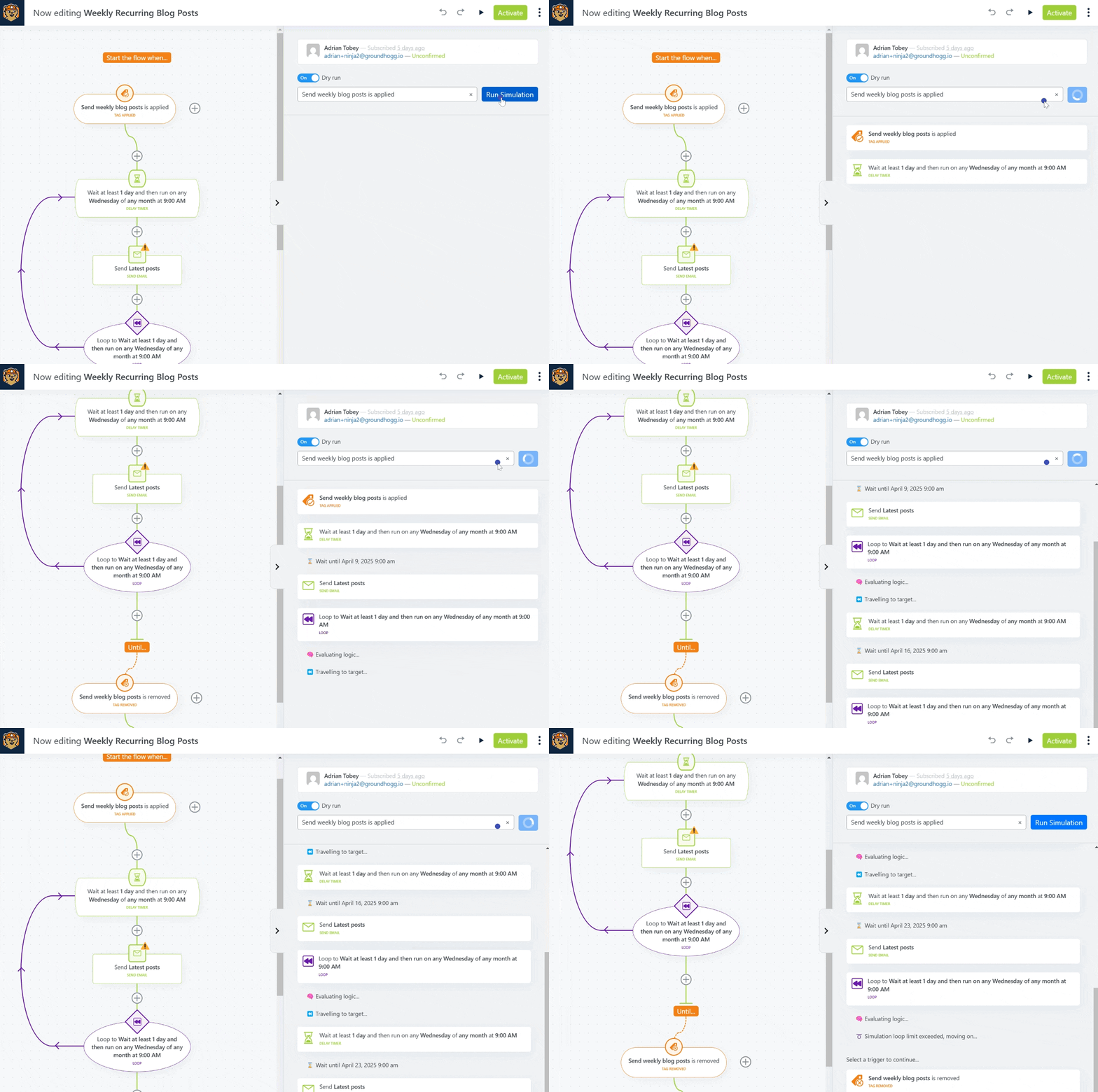
Because the simulation runs with or without making any actual changes, you can safely verify your flow logic, identify configuration issues, and ensure contacts are reaching the intended outcomes. This makes it much easier to build complex flows with confidence and understand exactly how a contact will move through your automation.
Starting a simulation
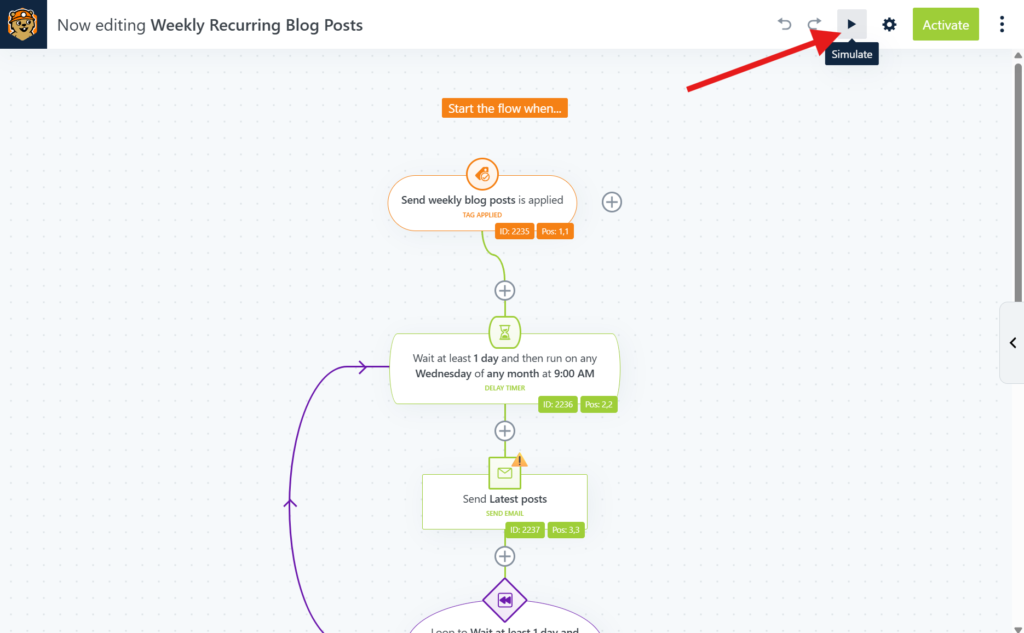
Open any flow, active or inactive, and click on the ▶ icon in the header to open the simulator.
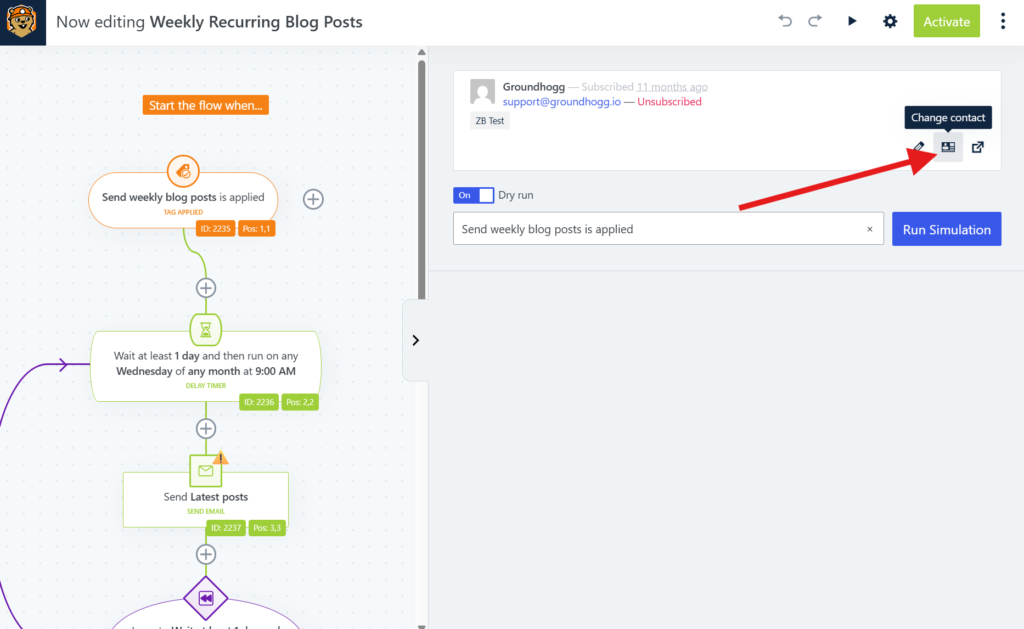
You will then be able to select the contact record you’d like to use for the test. Be default the contact record associated with the logged in user will appear, but you can change it to any contact by hovering over the contact card and clicking the ID card icon.
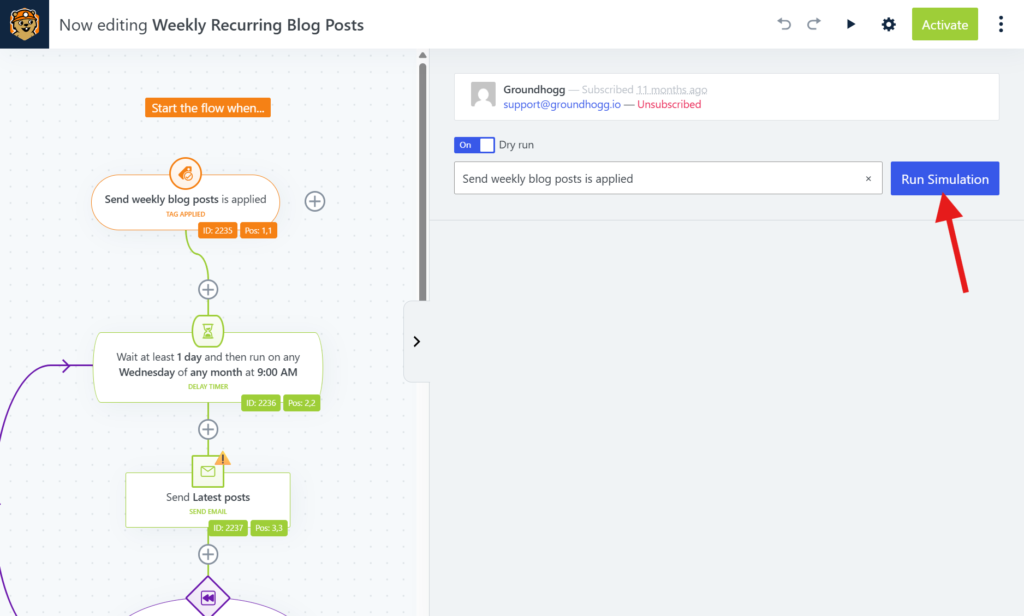
Toggle the Dry Run setting to choose whether the actions will actually run for the contact. When dry run is on, tags will be applied, emails will send, and any other actions will apply to the contact. If dry Run is off, then none of the actions will run, but you’ll see visually how a contact is moved through the flow.
Click Run Simulation to start the simulation, then the simulation results will appear underneath.
Interacting with the simulator
Once the simulation starts running, you’ll move through the flow and each step will appear focused in the canvas.
If you reach a group of adjacent triggers, you’ll be prompted to select a specific trigger to continue in the flow.
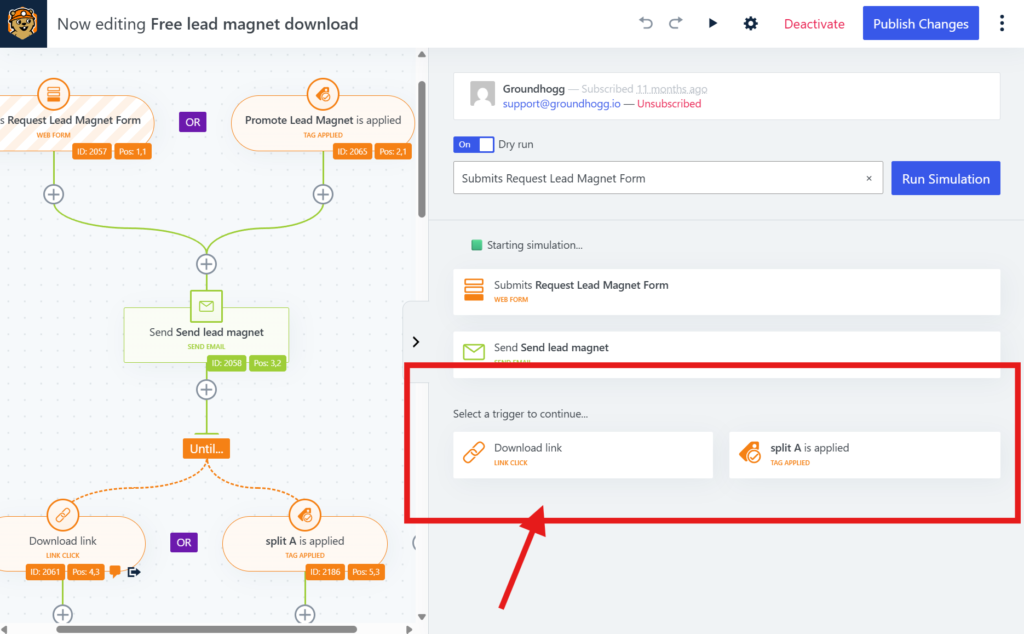
Some steps will log information about what happened, for example the apply tag step will log what tags were applied successfully to the contact.