Hi siteowner,
Version 4.8 of Groundhogg is now available! Here's what's new...
- AI agents & MCP support for your CRM
- Broadcasts get a calendar view
- A clearer, faster contact activity timeline
- Nameless contacts get a name
Scroll to the bottom to see the full changelog. | | 🤖 AI agents can now work inside your CRM New
Groundhogg now registers abilities with the WordPress Abilities API, so AI agents and MCP clients can find and manage contacts, read and add notes, create and send emails, schedule and report on broadcasts, and add contacts to flows. And it all happens through a permission-checked interface. | | Every ability runs through the same capability and per-object permission checks as the rest of Groundhogg, so an agent can only do what its user is allowed to do.
This is an early release! More abilities, including SMS, flows, imports, etc. are on the way.
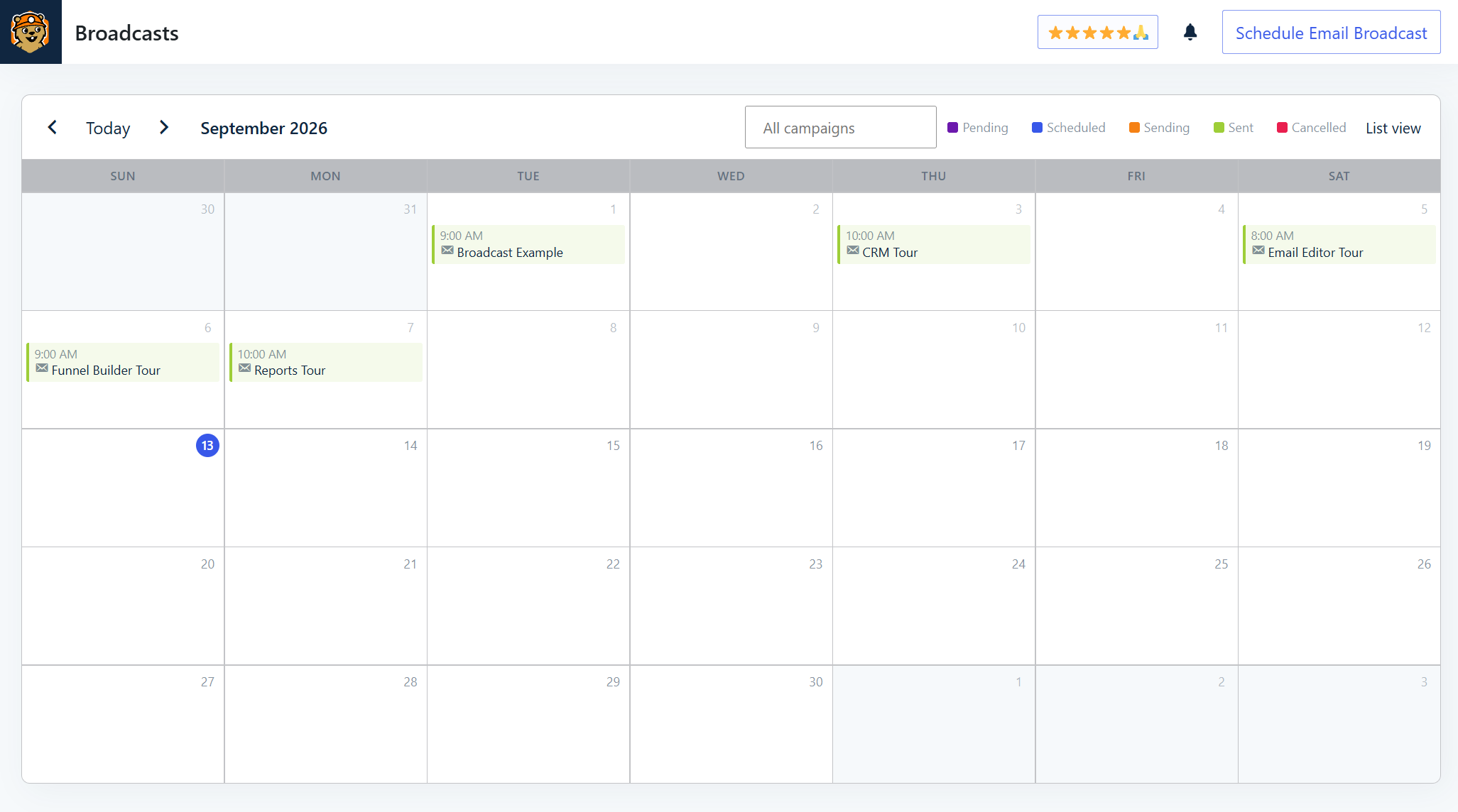
Read the full guide to see everything an agent can do today and how to connect one to your site. | | 🗓️ Broadcasts get a calendar viewBroadcasts now open in a month calendar instead of a table, so you can see what’s going out and when at a glance. | | | | Click any day from today onward to schedule a broadcast for it, with the date already filled in. Filter by status (sent, sending, scheduled, pending, or cancelled) right from the legend above the calendar.
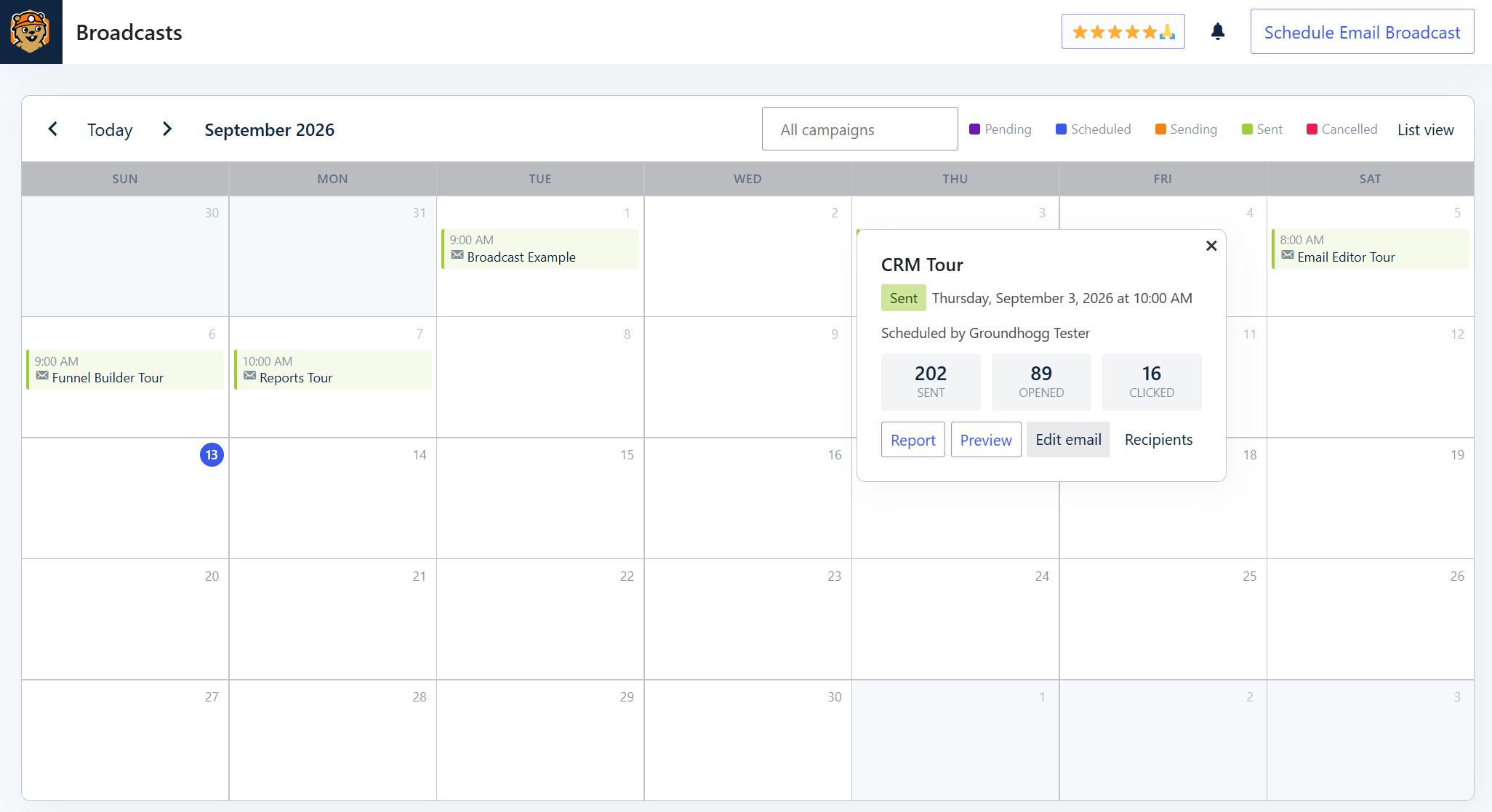
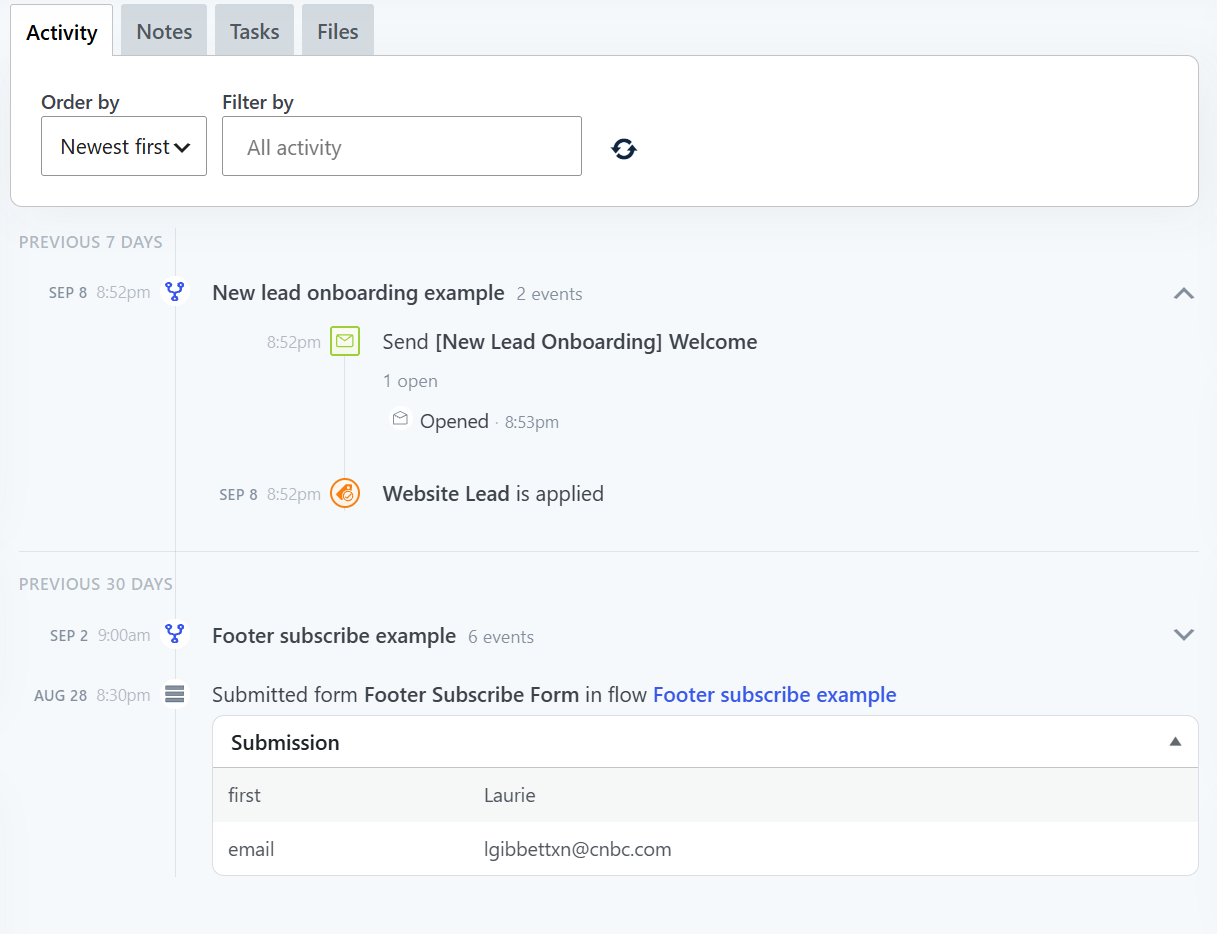
Click a broadcast for its send time, audience size, and open & click stats, with links through to its report, preview, recipients, or to cancel it. | | | | Prefer the old view? The previous table is still there behind the “List view” link for searching, sorting, and bulk actions. Whichever of the two you switch to becomes your default the next time you open the page. | | 🕘 A clearer contact activity timelineThe contact activity timeline has been redesigned: flow runs and browsing sessions are grouped into collapsible sections, and email opens and clicks are now nested under the email they belong to. | | | | Filter the timeline by a specific flow, email, or broadcast, or by activity type, using the new filter picker. Failed flow events now show up too, along with the error that caused them.
A “Load earlier activity” button pages further back through a contact’s history, with relative date headers and a date/time gutter for easier scanning.
Under the hood, the timeline now loads in a single request fetched by date range instead of a fixed number of items, refreshing and paging load only the new slice and update the view in place. | | 👤 Nameless contacts get a name
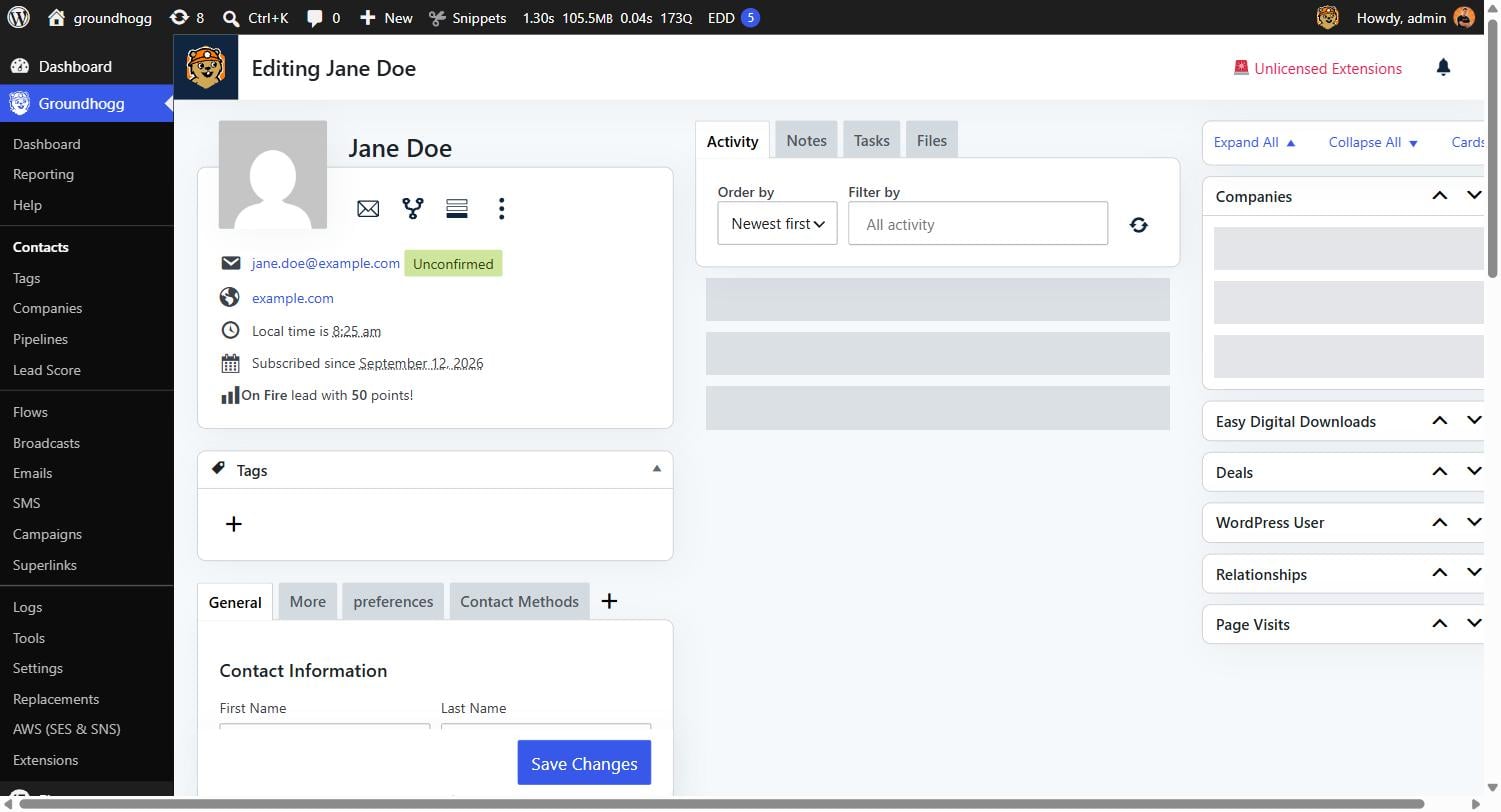
Contacts with no name now display a name inferred from their email address. For example, “jane.doe@example.com” shows as “Jane Doe” in the contacts table, page title, and profile card. | | | | Here's the complete changelog for 4.7.1, 4.7.2 & 4.8 | |
- ADDED AI agents and other tools can now act on your CRM through the WordPress Abilities API: find and manage contacts and their notes, create and send saved or one-off emails, schedule and report on broadcasts, and add contacts to flows. Every ability runs through the same capability and per-object permission checks as the rest of Groundhogg. This is an early release — more abilities, including SMS, are coming in future updates.
- ADDED Redesigned contact activity timeline: flow runs and browsing sessions are grouped into collapsible sections, and email opens and clicks are nested under the email they belong to.
- ADDED Filter the timeline by a specific flow, email, or broadcast, or by activity type, using the new filter picker.
- ADDED “Load earlier activity” button to page further back through a contact’s history.
- ADDED Broadcasts now open in a month calendar instead of a table, so you can see what is going out and when at a glance.
- ADDED The Licenses settings tab now shows a notice when an installed extension has no active license or its license has expired.
- ADDED Contacts with no name now display a name inferred from their email address in the contacts table, page title, and profile card.
- TWEAKED Dropdowns in the admin now use Groundhogg’s native item picker instead of the bundled select2 library.
- SECURITY Viewing, editing, deleting, or creating a note or task now also requires access to the contact (or other object) it is attached to.
- SECURITY Links shown in the contact timeline are validated against a scheme allowlist before rendering, and long links are truncated with hover-to-expand.
- FIXED Popovers anchored near the right edge of the screen are now kept within the viewport horizontally.
- FIXED Broadcasts using a segment with filters from an outdated add-on could schedule duplicate emails; such broadcasts are now cancelled with an error instead.
4.7.2 (2026-09-03)
- ADDED Click on a contact’s profile picture to update it with an image from the Library.
- TWEAKED Modernized the licensing and updates system.
- FIXED Authenticated (Sales Rep+) Path Traversal vulnerability. Thanks to @Sergei Pro for reporting responsibly via PatchStack.
- FIXED Possible Redirection Attack (Phishing). Thanks to @Yaswanth Reddy Sunkara for reporting responsibly via WPScan.
4.7.1 (2026-08-20)
- FIXED Cron setup page issue with WP 7.1
- FIXED PHP 7.4 incompatibility.
- TWEAKED Bumped the minimum supported PHP version to 7.4.
- TWEAKED Bumped the minimum supported WP version to 6.9.
| | You're receiving this email because you've subscribed to receive product releases. If you no longer wish to recieve product releases you can opt-out of only product releases while staying subscribed to other emails. |
|
|

 Account